
WhatsApp Campaign Analytics That Power Your Next Send
See exactly who was sent, delivered, read, replied, and clicked on every broadcast. Then turn those results into your next campaign in two clicks.
Trusted by businesses · 99.9% uptime · Official Meta Partner
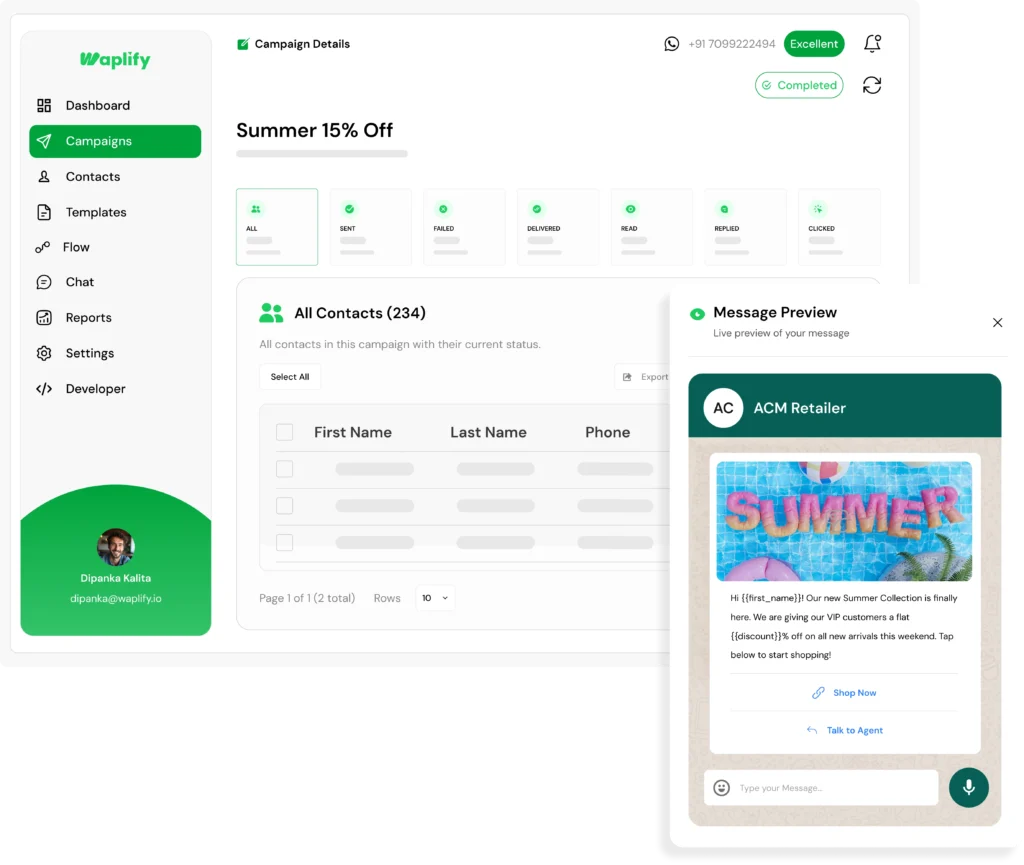
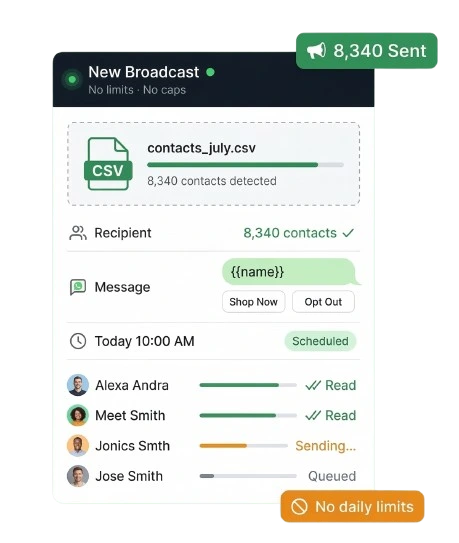
Empowering your business with unlimited broadcast reach
Scalable to Any List Size
From 100 to 100,000 contacts — our WhatsApp broadcast message infrastructure handles any volume instantly with zero throttling or daily caps.
Personal at Every Scale
Use dynamic variables like {{name}} and {{order_id}} so every broadcast feels like a one-to-one message — even when sending to thousands simultaneously.
Reliable Delivery, Zero Ban Risk
Every whatsapp broadcast message travels through the official Meta Cloud API — guaranteed delivery, no gray routes, and zero risk of your number being blocked or banned.
Most teams send a broadcast and never look back
A campaign without a report is a campaign you cannot improve.
You send, then you go blind
Failed numbers stay in the list. Contacts who read the message but never replied get no follow-up. The campaign just ends.
Reports get paywalled or hidden
Some tools lock the export behind a higher plan or bury the failure reason next to each contact, so you cannot act on results.
Slow answers, banned numbers
When delivery drops, incumbent support takes days to explain why. A personal number gives no report at all, just a banned account.
Waplify is the fix.
Built for any business that talks to customers on WhatsApp
From a single-location clinic to a 40-person travel agency, Waplify works across industries.
Agencies
Coaching
Education
Medical & Clinics
Tourism
Travel agencies
Real estate
Professional services
Finance & Insurance
If your business sends WhatsApp messages to customers, Waplify is built for you.
What you get with Waplify campaign analytics
Three capabilities that turn a finished campaign into your next targeted send.
Every result, the moment it lands
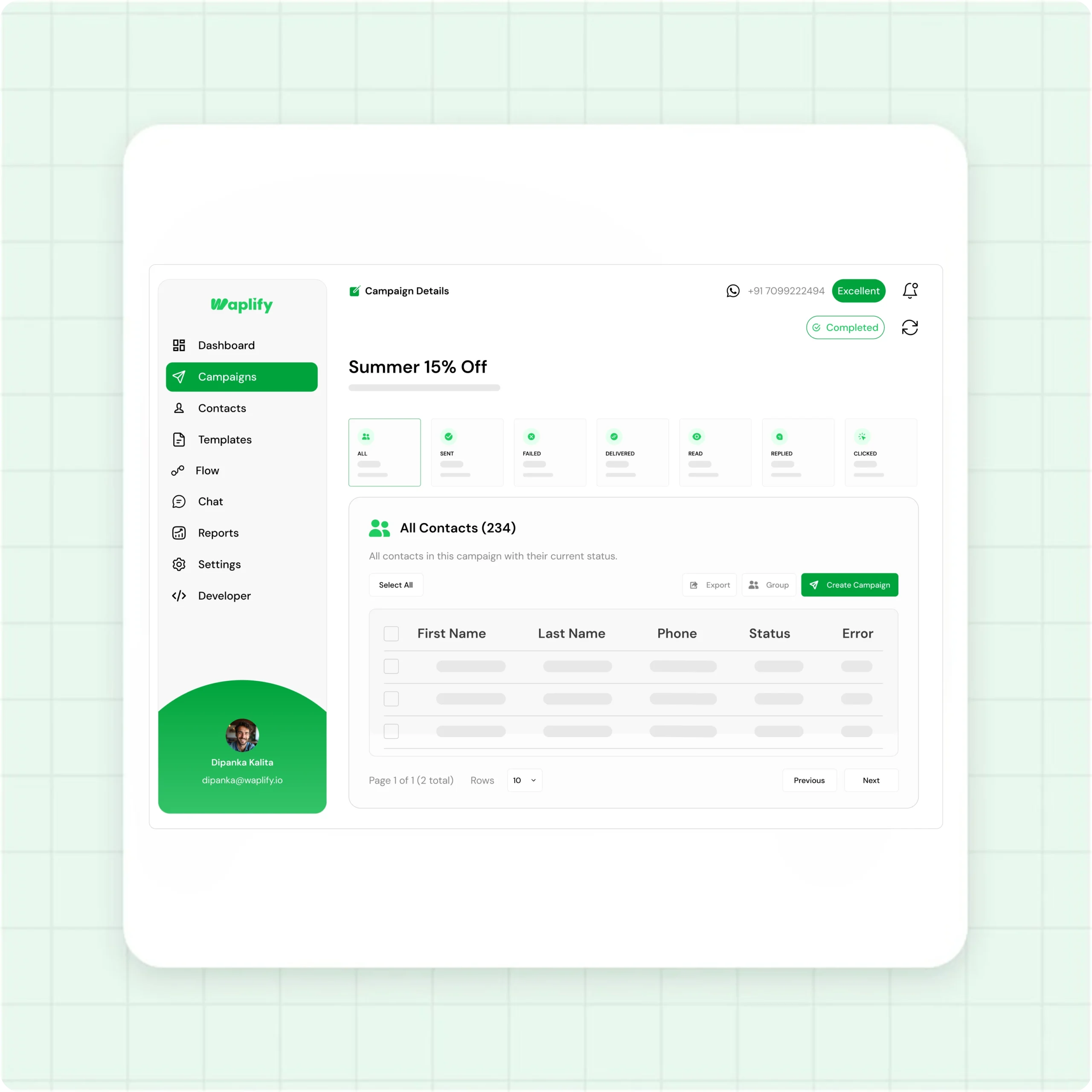
The campaign report fills in live, the second you hit send.
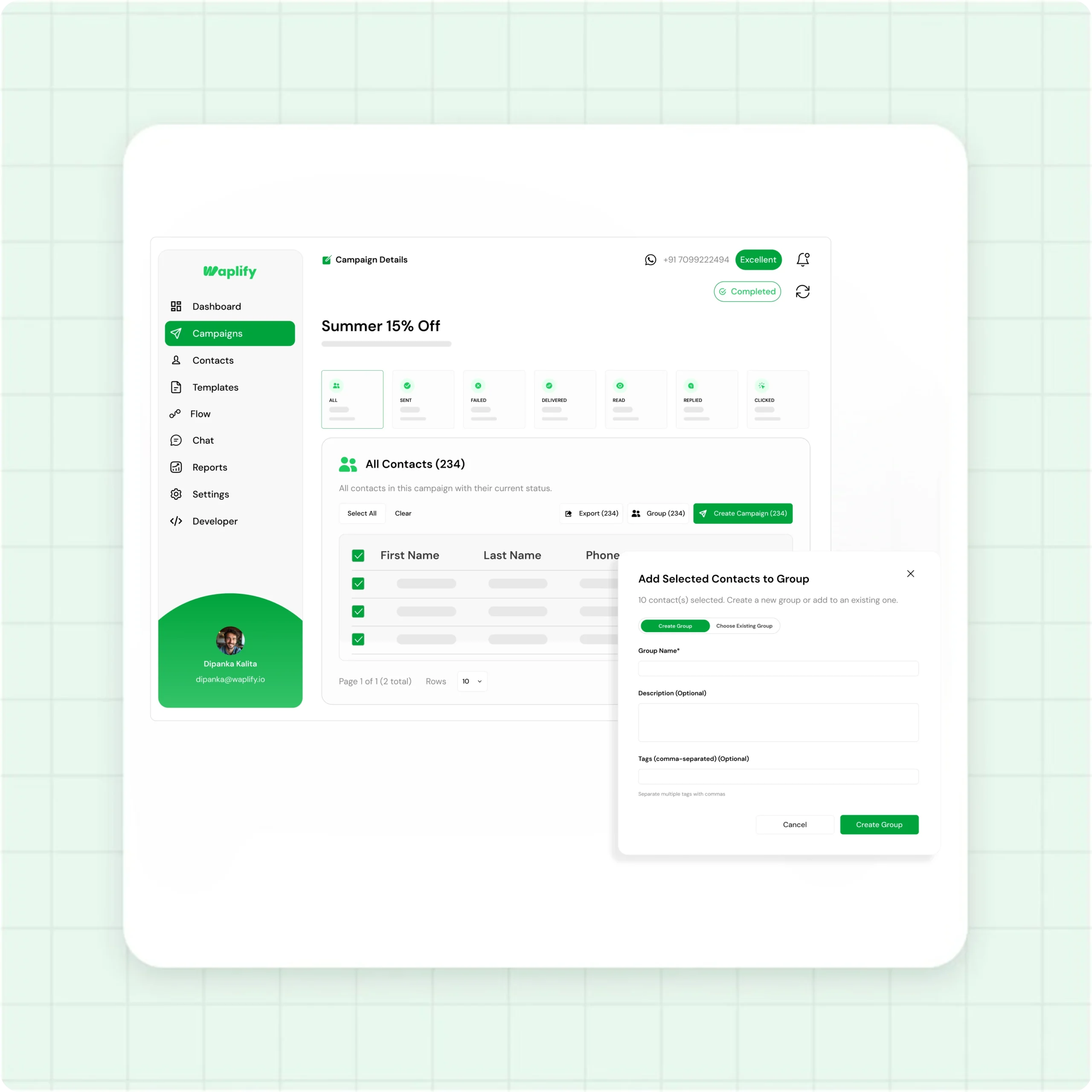
- Sent, Delivered, Read, Replied, Clicked, and Failed counts on one screen
- Each card shows the count and its percentage rate, so you see how the campaign performed at a glance
- Numbers update in real time, with no refresh and no waiting
Filter your contacts by what they did
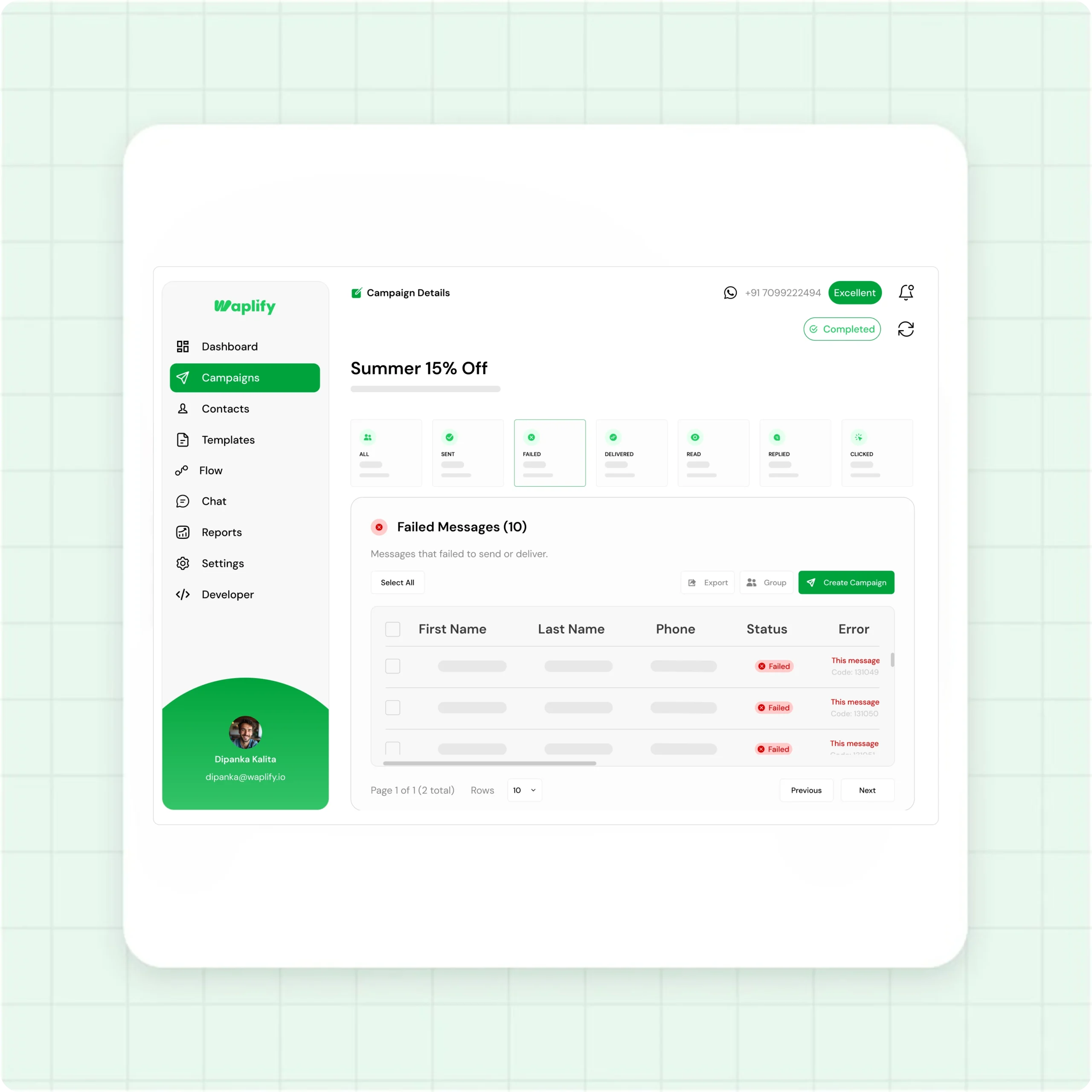
Every metric on the dashboard is also a filter.
- Click Delivered, Read, Replied, Clicked, or Failed to filter the contact list instantly
- See first name, last name, phone, and status for every contact in that view
- Failed contacts show the exact reason, so you know what to fix before the next send
Turn this campaign into your next one
A filtered list is a ready-made audience.
- Select every contact in the filtered view with one click
- Export the selection to CSV for your records or your team
- Save it as a new contact group, or launch a follow-up campaign on the spot
Ready to act on every campaign result?
Take the Lifetime Deal once and skip every monthly subscription that follows.
From sent to follow-up in four steps
No exports to wrangle, no spreadsheets. The report itself becomes your next audience.
Send or schedule
Pick an approved template, choose your contacts or groups, and send now or schedule the broadcast for later.
Watch the stat cards
The campaign report opens automatically. Sent, Delivered, Read, Replied, Clicked, and Failed counts fill in live.
Filter by status
Click any metric to filter the list. Open Read for engaged contacts, or Failed for numbers that need fixing.
Export, group, or resend
Select the filtered contacts, then export them, save them as a group, or start a new campaign aimed only at them.
How real teams use Waplify for campaign analytics
Three concrete workflows, each from a different industry.
A coaching institute reworking an admissions push
A real estate team cleaning a contact list
A travel agency following up on interest
Walk through Waplify with a product expert.
30 minutes, your industry, your broadcast list. See the exact send flow.
Common questions
Quick answers to the questions buyers ask most
1. What is WhatsApp campaign analytics?
It is the report Waplify builds after every broadcast. It tracks how each message performed: sent, delivered, read, replied, clicked, or failed. You see both the campaign totals and the status of every individual contact, all updated in real time.
2. How soon do campaign stats update?
Stats update in real time. Sent and delivered statuses usually appear within seconds to minutes of the broadcast going out. Read status depends on when each contact opens the message. Most delivery and read data settles within a few hours.
3. Why don't all delivered messages show as Read?
If a contact has read receipts turned off in their WhatsApp settings, the Read status never appears, even when they have actually read your message. Your real read rate is usually a little higher than the number shown on the card.
4. Can I see which contacts clicked a link?
Yes. When your template includes a URL button, Waplify tracks a Clicked status. Filter the campaign by Clicked to see every contact who tapped through, then export them or send a follow-up. Build trackable links with the WhatsApp Link Generator.
5. Can I resend to contacts whose messages failed?
Yes. Filter the campaign by Failed, select those contacts, and either save them as a group or launch a fresh campaign aimed only at them. You can export the list first. Schedule the follow-up for a better time to lift delivery.
6. Does Waplify work for my industry?
Yes. Waplify is used across industries, including agencies, coaching, education, medical and clinics, tourism, travel, real estate, and professional services. Campaign analytics works the same for every one of them. If your business sends WhatsApp broadcasts, the reporting is built for you.
7. What does the lifetime plan include?
Every feature, for as long as the account is active. That covers unlimited broadcasts, unlimited contacts, full campaign analytics, exports, and groups, with no markup on Meta's per-message fees. You pay Meta directly at Meta's published rate.