
How to Optimize Your WhatsApp Business Costs Under the New 2026 Per-Message Pricing
Introduction: The Shift to Per-Message Billing in 2026
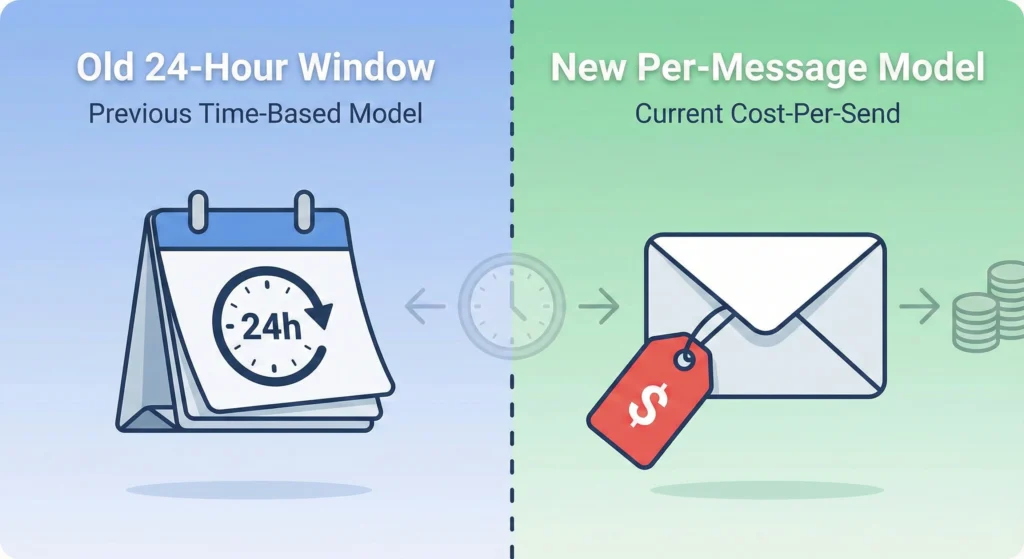
The biggest change coming to the WhatsApp Business API in 2026 is the shift from "Conversation-Based Pricing" to "Per-Message Pricing." In the past, businesses paid for a 24-hour window to talk to a customer. Under the new 2026 model, Meta plans to charge for every single template message sent by a business outside of a service window. This means if you send a marketing blast to 1,000 people, you pay for 1,000 messages, regardless of whether they reply.
This shift demands a new strategy. You can no longer rely on opening a conversation and sending multiple follow-ups for free. Every outgoing template has a price tag attached. To survive this change, businesses must stop "blasting" messages and start building smarter, two-way conversations.
Direct Answer: How to Optimize WhatsApp Business Costs in 2026
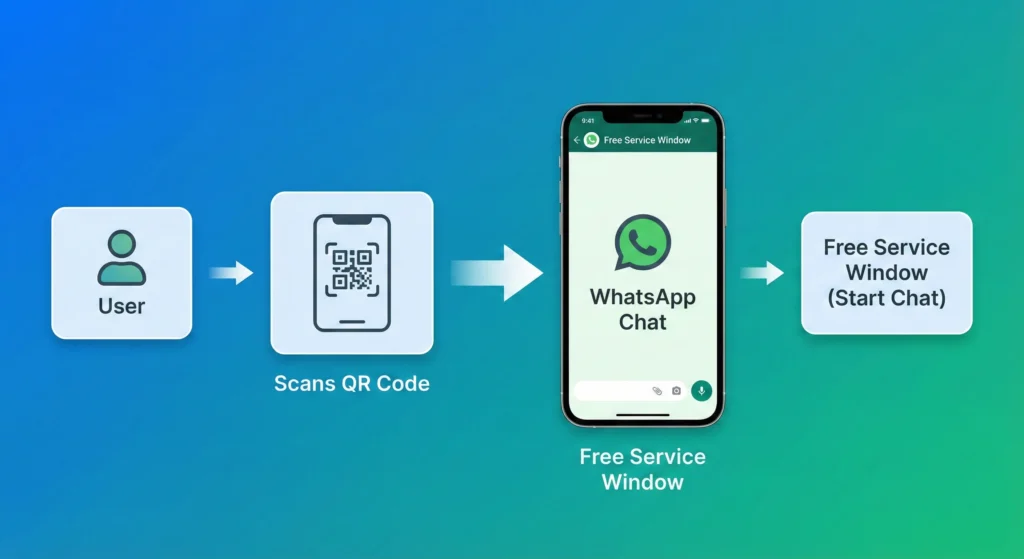
To optimize costs under the 2026 pricing model, you must prioritize User-Initiated Conversations. When a customer messages you first, or replies to a template, a "Service Window" opens. In this window, your replies are free or significantly cheaper. Your primary goal is to move customers from paid "Marketing" templates into this free "Service" window as fast as possible. You can do this by using click-to-chat links, QR codes, and engaging template content that asks a question. Additionally, you must strictly categorize
your templates as "Utility" or "Authentication" whenever possible, as these cost much less than "Marketing" messages.
Key Takeaways: The 2026 Pricing Landscape at a Glance
The rules of the game are changing. Understanding the basics will help you save your budget. Here are the most important facts about the new system.
- Pay Per Template: You pay for every business-initiated template message.
- Service Windows are Key: Replies from users create a temporary free or low-cost window.
- Category Matters: Marketing messages are the most expensive.
- Region Matters: Sending messages to some countries costs more than others.
Data Breakdown: Understanding the New Per-Message Model
To save money, you must understand exactly where the costs come from. The old way of thinking about "conversations" is gone. Now, you need to think about individual message units.
The End of Conversation-Based Pricing Explained
Previously, if you paid to open a conversation, you could send unlimited templates within 24 hours (in some categories) without extra fees. That safety net is gone. In 2026, if you send three marketing templates in a row, you pay three separate fees. This prevents spam, but it also raises costs for businesses that do not segment their audience well.
Table: Old Model vs. 2026 Per-Message Rates
Here is a simple comparison to help you visualize the difference.
| Feature | Old Conversation Model (Pre-2026) | New Per-Message Model (2026) |
| Billing Unit | One 24-hour conversation window | Per individual Template Message |
| Follow-up Cost | Free within open window | Paid (unless user replies) |
| User Reply | Extended the window | Opens a Free Service Window |
| Marketing Cost | High (per conversation) | High (per message) |
| Utility Cost | Low (per conversation) | Low (per message) |
Destination-Based Billing: Why Region Matters
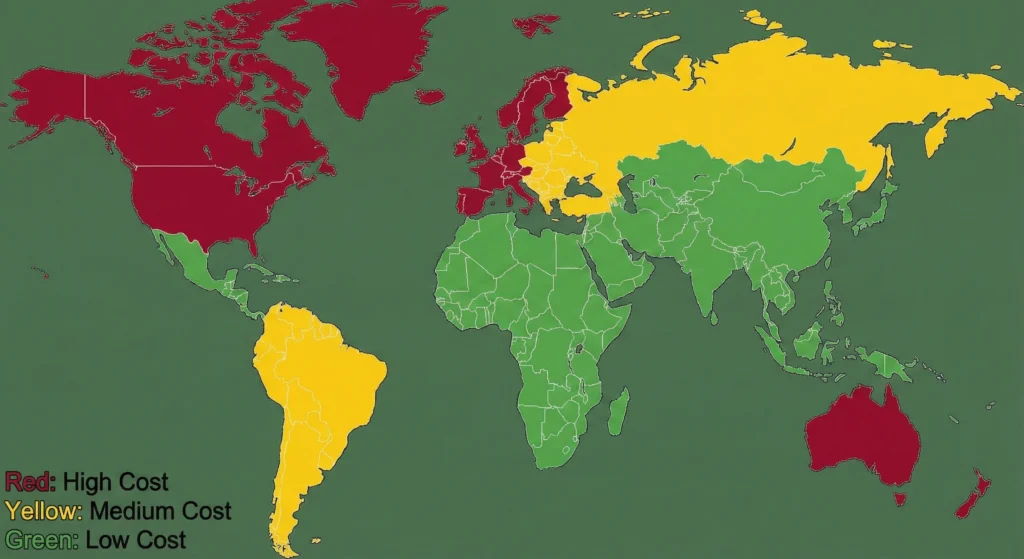
Not all messages cost the same. The price depends on the country code of your customer's phone number. For example, sending a message to a user in North America might cost fractions of a cent. Sending that same message to a user in parts of Europe or Asia could cost ten times more. You must know where your customers live to predict your bill.
Strategy 1: Leveraging the 24-Hour Free Service Window
The best way to pay zero dollars is to get the customer to talk to you first. This is the "Service Window." When a user sends you a message, you have 24 hours to reply. These replies are usually free session messages.
Defining the Service Category for Cost Savings
The "Service" category applies when you are responding to a user. This is the holy grail of cost savings. If you can turn a marketing campaign into a customer support inquiry, you save money. Instead of pushing a sale, invite a question.
Techniques to Trigger User-Initiated Conversations
You need to be creative to get that first message from the customer. Do not just send a generic "Hello."
- Click-to-Chat Ads: Use Facebook or Instagram ads that open a WhatsApp chat.
- Website Widgets: Put a chat button on your site.
- QR Codes: Place codes on physical products or receipts.
50 WhatsApp Automation Use Cases to Drive Free Inbound Traffic
Automating your responses helps you handle these incoming chats instantly. If you are looking for ideas on how to set this up, you can read about 50 WhatsApp Automation Use Cases & Examples. These examples show how to turn simple alerts into engaging conversations that trigger the free service window.
Strategy 2: Template Engineering for Lower Rates
Meta charges different rates based on the intent of your message. You must engineer your templates to fit into cheaper categories.
Marketing vs. Utility vs. Authentication Cost Differences
- Marketing: These sell products or announce offers. They are the most expensive.
- Utility: These confirm actions, like shipping updates or appointment reminders. They are much cheaper.
- Authentication: These are One-Time Passwords (OTPs). They are the cheapest.
WhatsApp Template Categories: How to Choose for Fast Approval
Getting your template approved in the right category is an art. If you write a shipping update but add a discount code at the end, Meta's AI will flag it as "Marketing." This increases your cost. To master this, you should review our guide on WhatsApp Template Categories: Choose for Fast Approval. It explains exactly which words trigger the higher pricing.
Best Practices to Avoid Category Up-Charging
- Keep it clean: Do not mix sales pitches into support messages.
- Be specific: "Here is your order #123" is Utility. "Order #123 is here, check out our new socks!" is Marketing.
- Check frequently: Meta validates templates often. Ensure your approved Utility templates stay Utility.
Strategy 3: Geographic Cost Segmentation & Routing
If you have a global audience, you cannot treat everyone the same. The cost per message varies wildly across the map.
Analyzing High-Cost vs. Low-Cost Regions (NA, EU, APAC)
North America (NA) typically has very low rates. You can afford to send more marketing messages there. The European Union (EU) and parts of Asia-Pacific (APAC) often have higher termination rates. A "spray and pray" strategy in high-cost regions will drain your bank account quickly.
Routing Traffic Based on Regional Rate Cards
Smart businesses use "Routing." This means you check the user's country code before sending a message.
- Low-Cost Country: Send the WhatsApp Marketing message.
- High-Cost Country: Send an Email or SMS instead and only use WhatsApp for support.
Expert Analysis: Calculating Your Blended Rate ROI
You need to do the math to see if WhatsApp is profitable for you in 2026. Do not look at the cost of one message. Look at the cost to get one customer.
Formula: Cost Per Acquisition Under New Pricing
Use this simple formula:
(Total Cost of Messages Sent ÷ Number of Sales Made) = Cost Per Acquisition (CPA)
If you send 1,000 messages at $0.05 each, you spend $50. If you make 10 sales, your CPA is $5. Is your product profit higher than $5? If yes, you are winning.
Case Study: High-Volume Campaign Cost Projection
Imagine a shoe store sends a coupon to 10,000 people.
- Scenario A (Marketing Template): 10,000 messages x $0.08 = $800 cost.
- Scenario B (Utility Strategy): They wait for users to ask about stock, then reply. 10,000 inbound messages = $0 costs (Service Window).
Scenario B requires more patience but saves $800.
Workflow Optimization: Technical Implementation
To make this work, you need the right tools and setup. You cannot do this manually on a phone.
Filtering Low-Intent Leads Before Sending Paid Templates
Do not send paid WhatsApp messages to cold leads. Use free channels like email to warm them up first. Only when they click a link or show interest should you trigger the paid WhatsApp message. This ensures you only pay for people likely to buy.
Using Automation to Qualify Users Within Free Windows
Once a user replies, use a chatbot to ask questions. "What size do you need?" or "What is your budget?" This qualifies the lead for free. For small teams trying to figure this out, WhatsApp Business API for SMBs 2026: Your Quick Start offers a great roadmap for setting up these automated flows efficiently.
Choosing the Right API Partner for Cost Management
Not all WhatsApp partners charge the same. Some add hidden fees on top of Meta's price.
Comparing Provider Markups vs. Transparent Pricing
Some providers charge a "markup" per message. This means if Meta charges $0.05, the provider charges you $0.06. That extra penny adds up over thousands of messages. You want a provider with transparent pricing.
Waplify Plans & Pricing: Affordable Scale Analysis
It is vital to choose a partner that supports your growth without eating your profits. You can analyze Waplify's Plans & Pricing to see how a flat-fee structure or low-markup model compares to the per-message markups of other competitors. Choosing the right partner can save you 20-30% on your total bill.
Conclusion: Adapting to the New Standard
The 2026 pricing change to a per-message model is a challenge, but also an opportunity. It forces businesses to stop spamming and start connecting. By focusing on user-initiated chats, choosing the right template categories, and picking a transparent partner, you can actually lower your costs while increasing your sales. The future of WhatsApp is about quality, not quantity.
Frequently Asked Questions (FAQ) on 2026 Pricing
1. Will free tier conversations still exist in 2026?
Meta typically provides a small number of free service conversations per month (usually 1,000), but this applies strictly to service conversations, not marketing templates.
2. Can I use the old pricing model if I don't update?
No.