The Shift to Conversational Commerce in 2026
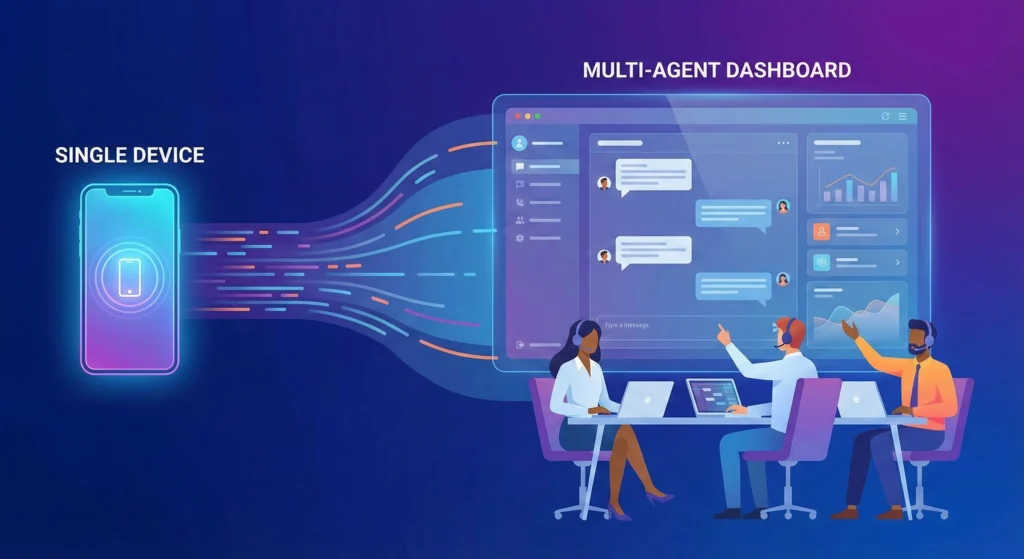
The WhatsApp Business API is a set of programming tools that allows businesses to connect WhatsApp with customer support software, CRMs, and marketing platforms. Unlike the standard free app, which is limited to one phone and one user, the API enables unlimited team members to reply to messages from a single dashboard. It is designed for small businesses that have outgrown the manual limitations of a smartphone and need to automate replies, send bulk broadcasts, and manage thousands of customers
conversations simultaneously.
In 2026, customers no longer want to call support lines or wait for emails. They expect instant answers on the app they use every day. For small business owners, moving to the API is the only way to meet this demand without hiring a massive support team.
What is WhatsApp Business API for Small Business?
The WhatsApp Business API is the "engine" under the hood of professional messaging. It is not an app you download from the Play Store. Instead, it acts as a bridge that connects your WhatsApp phone number to third-party software. This connection unlocks features that the standard app does not have, such as green tick verification, advanced automation, and integration with tools like Shopify or HubSpot.
The 2026 Definition: Cloud API vs. Standard App
By 2026, the distinction has become very clear. The Standard WhatsApp Business App is for solopreneurs who handle fewer than 50 messages a day personally.
The Cloud API (hosted directly by Meta) is for businesses that need scale. It eliminates the need for complex on-premises servers. This cloud-based version is faster, more reliable, and cheaper to maintain. It allows small businesses to access enterprise-level features without an enterprise-level budget.
The Technical Breakdown for Non-Techies
Think of the API as a universal plug.
- The Phone Number: You provide a clean phone number.
- The Plug (API): Meta provides the connection point.
- The Dashboard (Inbox): You use a software provider (like a BSP) to "plug in" to WhatsApp.
You do not type code to use it. You log into a user-friendly dashboard provided by a partner. From there, you can see all chats, assign them to staff, and set up automated robots to answer common questions.
2026 Snapshot for SMB Owners
If you are a business owner short on time, here are the critical facts for 2026:
- Automation is Mandatory: You can automate up to 70% of routine queries (hours, pricing, location).
- No Device Limits: Your entire sales and support team can use one WhatsApp number at the same time.
- Safety First: The API is GDPR compliant and keeps customer data secure, unlike passing a shared phone around the office.
- Pay-Per-Conversation: You pay a small fee for every 24-hour conversation window you start.
WhatsApp Business App vs. API
Choosing the right tool is vital. Using the wrong one can lead to account bans or lost sales.
Limits, Multi-User Access, and Automation
| Feature | WhatsApp Business App (Free) | WhatsApp Business API (Paid) |
| User Limit | 1 Phone + 4 Linked Devices | Unlimited Users |
| Broadcast Limit | 256 contacts per list | Unlimited (100k+ per day) |
| Automation | Basic Greeting/Away messages | Advanced Chatbots & AI Agents |
| Integration | None (Standalone) | Connects to CRM, Zapier, Shopify |
| Green Tick | Not Available | Eligible for Application |
| Risk of Ban | High (if sending bulk messages) | Low (Official Meta Approved) |
| Cost | Free | Monthly Software Fee + Usage Costs |
When Should You Upgrade?
You should upgrade to the API if you meet any two of the following criteria:
- You have more than 500 active customer contacts.
- You have 2 or more staff members replying to messages.
- You want to send marketing newsletters to more than 256 people at once.
- You need to track sales data and response times.
How to Set Up WhatsApp Business API in 2026
Setting up the API used to take weeks. In 2026, it takes minutes if you follow the right path.
Choosing Between Meta Cloud Direct vs. BSPs
You have two choices. You can connect directly to Meta (requires coding knowledge) or use a Business Solution Provider (BSP). For 99% of small businesses, a BSP is the correct choice. They provide the "Inbox" software you need to read messages. Going direct gives you the API, but no screen to read chats on.
Business Verification and Number Setup
You need a fresh phone number that is not currently active on any WhatsApp app. You will connect this number to your BSP. Next, you must verify your business in the Meta Business Manager. This proves you are a real company. You will need to upload business registration documents like a tax certificate or incorporation articles.
Securing the WhatsApp Green Tick (2026 Eligibility)
The Green Tick is the ultimate sign of trust. It shows customers you are an authentic brand. In 2026, eligibility relies heavily on your domain authority and press presence. To understand the specific requirements and how to increase your chances of approval, read our WhatsApp Green Tick 2025: Guide, Eligibility & How to Apply. Getting this badge can increase message open rates by 30%.
WhatsApp Business API Pricing for SMBs 2026
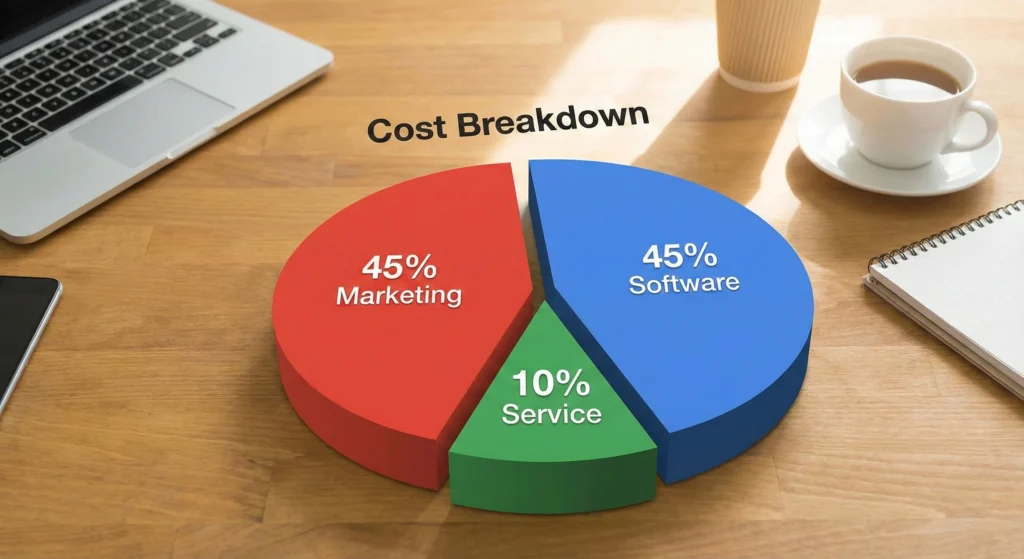
The API is not free. Costs are split into two parts: the software subscription (paid to your BSP) and conversation charges (paid to Meta).
Understanding the Conversation-Based Model
Meta charges per 24-hour session. The price changes based on why you are messaging the customer.
- Marketing: Promotions, offers, and newsletters. (Most expensive).
- Utility: Order confirmations, shipping updates, and receipts. (Moderate cost).
- Service: Answering a user's question. (Cheapest or sometimes free).
To dive deeper into the exact rates per country and category, check our WhatsApp Business API Pricing 2025: Your Definitive Cost Breakdown.
Setup Fees and Software Subscriptions
Be careful when choosing a provider. Some BSPs charge a "markup" on every message you send. Always look for providers that offer zero markup on conversation fees. You should only pay a flat monthly fee for the software interface.
Estimating Monthly Spend for Small Teams
Example for a Small Boutique:
- Software Fee: $50/month.
- Marketing Messages: 1,000 sent ($0.05 each) = $50.
- Service Conversations: 500 received ($0.02 each) = $10.
- Total Monthly Cost: $110.
Marketing and Automation Workflows
Once you have the API, you must use it to grow revenue, not just answer support tickets.
Setting Up High-Converting Drip Campaigns
A drip campaign is a sequence of automated messages. For example, if a customer asks about a product but doesn't buy, the API can automatically send a coupon code 24 hours later. This strategy recovers lost revenue without human effort. Learn how to build these sequences in our WhatsApp Drip Campaigns: Setup, Strategy & Success Guide.
Mastering Template Categories for Fast Approval
You cannot just send any message to a customer who hasn't spoken to you in 24 hours. You must use a "Template Message." Meta reviews these to prevent spam. You must categorize them correctly (Marketing vs. Utility) to get them approved quickly. Incorrect categorization is the #1 reason for rejection. See our guide on WhatsApp Template Categories: Choose for Fast Approval to ensure your templates pass every time.
B2B Lead Generation Frameworks using the API
For B2B companies, WhatsApp is a powerful nurturing tool. You can offer a PDF guide or consultation in exchange for a WhatsApp opt-in. Once they opt-in, you can use the API to qualify them with automated questions before a salesperson ever picks up the phone. For a detailed framework, read Master B2B WhatsApp Lead Generation with Our 5-Step.
The Rise of AI Agents in 2026
The biggest change in 2026 is Artificial Intelligence. Old "chatbots" were frustrating because they required exact keywords.
Replacing Basic Chatbots with Generative AI Support
Modern AI Agents connected to the API can understand natural language. If a customer types "I want the red shoes but in size 9," the AI understands the intent. It checks your inventory and replies, "We have them in stock! Here is the link." It feels like talking to a human.
Automation Use Cases for Teams of 1-5
For small teams, AI acts as the first line of defense.
- Filtering: The AI handles "Where is my order?" questions.
- Escalation: The AI passes complex "My item is broken" complaints to a human.
- Result: Your staff deals with 80% fewer messages, allowing them to focus on high value.
Real-World SMB Implementation Scenarios
Here is how three different business types use the API in 2026.
Scenario A: The Local Service Provider (Salons/Clinics)
- Goal: Reduce no-shows.
- Workflow: The API integrates with the booking calendar. It sends a confirmation message immediately. 24 hours before the appointment, it sends a reminder. If the client replies "Cancel," the system automatically re-opens the slot for others.
Scenario B: The Boutique E-commerce Store
- Goal: Increase repeat purchases.
- Workflow: After a customer buys a dress, the API waits 30 days. It then sends a message: "Hi Sarah, we hope you love the dress! We just got matching accessories in stock. Check them out here."
Scenario C: The B2B Consultant
- Goal: Nurture leads.
- Workflow: The consultant runs a LinkedIn ad offering a free report. The user clicks to chat on WhatsApp to get the report. The API delivers the file and follows up 3 days later to ask if they have questions.
Your First 30 Days
Don't try to do everything at once. Follow this schedule.
Day 1-7: Setup and Verification
Focus on getting your Facebook Business Manager verified and picking a BSP. Secure your phone number. Do not send messages yet.
Day 8-14: Template Creation and Audience Upload
Upload your existing customer list (ensure they have opted in). Create your first 3 templates: a welcome message, an order update, and a monthly newsletter template. Submit them to Meta for approval.
Day 15-30: Launching First Campaigns and Analyzing Data
Start small. Send a broadcast to 100 loyal customers. Test your AI autoreplies to make sure they work. Monitor your "Quality Rating" in the dashboard to ensure customers aren't blocking you.
Is the WhatsApp Business API Worth It in 2026?
For any small business that values its time and wants to grow, the answer is yes. The standard app is a bottleneck that stops you from scaling. The API is a growth engine. The costs are manageable for small teams, and the return on investment from automated sales and recovered abandoned carts often pays for the software in the first month. In 2026, communicating with customers on their preferred channel isn't optional. It's the standard.