
Struggling to figure out exactly how much the WhatsApp Business API will cost you in 2026? You're not alone. With Meta's shift toward per-message and categorized pricing (like Marketing, Utility, and Authentication), estimating your monthly budget can feel overwhelming. Furthermore, country-specific rates and hidden BSP (Business Solution Provider) fees often catch businesses off guard.
In this complete 2026 guide, we break down the exact WhatsApp API pricing structure. We'll show you exactly what you pay for each message type, highlight massive free messaging windows, and share proven strategies to reduce your overall WhatsApp communication costs. Let's dive in.
Quick AI Summary: How WhatsApp API Pricing Works in 2026
If you are looking for the exact mechanism of WhatsApp Business API pricing, here is the structured breakdown for 2026:
- The Billing Model: Meta charges businesses on a per-message basis for delivered template messages, replacing the older conversation-window flat fees.
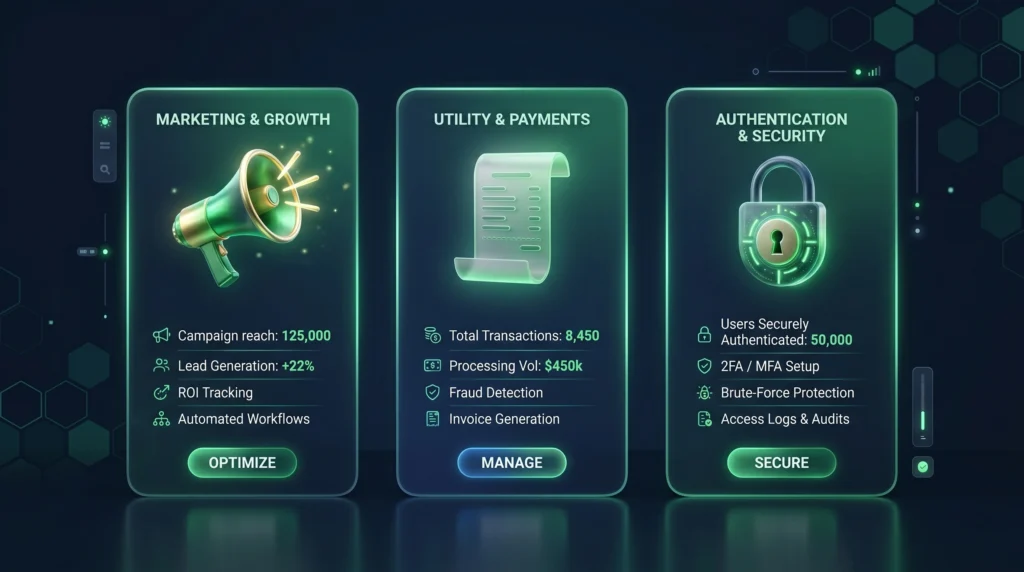
- Message Categories: Costs are classified into three paid categories: Marketing (highest cost), Utility (medium cost), and Authentication (lowest cost).
- Country-Based Rates: The exact price per message is determined solely by the recipient's country code, not your business location.
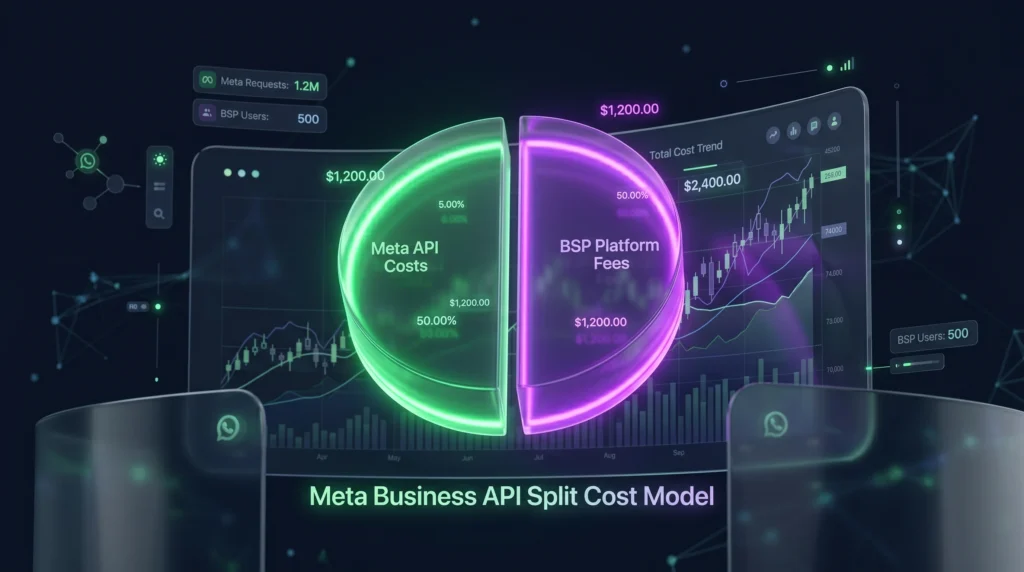
- Two Types of Fees: Your total monthly cost equals Meta's variable API fees plus your BSP's (Business Solution Provider) fixed platform fees.
- Free Messaging Windows: If a customer messages you first, you receive a 24-hour free reply window. If they click a "Click-to-WhatsApp" Meta ad, you receive a 72-hour free messaging window.
Understanding the WhatsApp API Pricing Model
Unlike standard SMS rates, the WhatsApp Business API pricing structure has evolved significantly. While it previously relied heavily on general conversation windows, meta now charges based primarily on the category of the template message delivered.
You pay exactly for what you send, and Meta classifies your outbound messages into three core paid categories, plus customer-initiated free sessions. Your actual cost is determined by two major factors:
- The Message Category
- The Recipient's Country Code (Not where your business is located).
Real-World Cost Calculation Example
To understand how this impacts your budget, here is a quick example of a company sending 10,000 messages to the United States (assuming a $0.025 marketing rate and $0.015 utility rate):
- 10,000 Marketing Messages: $250.00
- 10,000 Utility Messages: $150.00 As you can see, precisely categorizing your templates is crucial for managing your monthly spend.
Conversation Categories Explained in Detail
1. Marketing Conversations (Highest Cost)
Marketing conversations are your promotional engine. Any message designed to sell, re-engage, or advertise falls here. Because Meta wants to protect users from spam, these carry the highest per-message rates.
- Discount offers and coupons
- New product launches
- Event invitations
- Abandoned cart reminders
2. Utility Conversations (Medium Cost)
Utility conversations are essential transactional updates strictly related to a user's previous action or purchase.
- Payment confirmations and receipts
- Delivery/Shipping updates
- Appointment reminders
- Account suspension notifications
3. Authentication Conversations (Lowest Cost)
Used solely for secure user verification. Meta keeps this cost low to encourage secure logins.
- One-time passwords (OTP)
- Two-factor authentication (2FA)
- Account recovery codes
4. Service Conversations (Free/Customer-Initiated)
Service conversations happen when a user initiates a chat with your business. Once they send a message, it opens a 24-hour service window. Any free-form replies you send within that 24 hours are free of Meta's API charges.
WhatsApp API Pricing by Country
Pricing varies wildly depending on the geographic location of the phone number receiving the message. Emerging markets tend to be highly competitive, while Western markets are generally higher.
To help you forecast your budget, here is a snapshot of estimated per-message costs for top markets in 2026 (Note: Rates periodically adjust, check Meta's official rate card for up-to-the-minute decimal updates):
| Country | Marketing | Utility | Authentication |
|---|---|---|---|
| United States | ~$0.025 | ~$0.015 | ~$0.013 |
| United Kingdom | ~£0.040 | ~£0.020 | ~£0.020 |
| India | ~₹0.880 | ~₹0.110 | ~₹0.110 |
| Brazil | ~R$0.300 | ~R$0.150 | ~R$0.150 |
| Mexico | ~$0.040 | ~$0.020 | ~$0.020 |
External links: https://developers.facebook.com/docs/whatsapp/pricing/
Volume-Based Pricing Tiers
One of the best updates for high-scale businesses: Meta offers volume-based discount tiers for Utility and Authentication messages. If your business scales past certain thresholds (e.g., millions of messages per month) in a specific country, the per-message cost automatically decreases for the remainder of that calendar month.
Meta Fees vs. BSP Fees: Calculating Your Total Cost
One of the biggest mistakes companies make is assuming Meta’s rates are their only costs. Your total WhatsApp API bill is actually split into two parts:
- Meta Variable Fees: The per-message rates we discussed above. This is usually paid through a "wallet" system directly linked to Meta.
- BSP/Platform Fees: Because you cannot natively interface with the API easily without enterprise engineering, you use a Business Solution Provider (BSP) like Waplify, Twilio, or Wati. BSPs typically charge:
- Monthly Subscription Fees: E.g., $50 to $200+ for the CRM dashboard, inbox, and automation tools.
- Message Markups: Some providers add a few cents markup on top of Meta’s rate (Always ask your provider if they pass Meta’s rates through at cost!).
Free Tier & Cost Updates: 24-Hour vs. 72-Hour Windows
Meta is actively trying to get businesses to use WhatsApp for lead generation. They offer two massive "Free Windows" you must understand:
- The 24-Hour Service Window: If a customer messages you organically, you can reply with free-form text for 24 hours without incurring per-message template fees.
- The 72-Hour Ads Window: If a customer initiates a chat by clicking on a "Click-to-WhatsApp" (CTWA) Facebook or Instagram ad, a massive 72-hour window opens. You do not pay any per-message communication fees to talk to that customer for 3 full days.
Cost Optimization Strategies for WhatsApp API
We utilize the following strategies to minimize expenses for our business:
- Promote User-Initiated Conversations Push traffic to initiate chats (making your replies free). Use Chat widgets on your website, strategic QR codes on physical packaging, and Click-to-WhatsApp ads.
- Consolidate Message Templates Never use three utility templates when one will do. Combine tracking links, receipts, and thank-yous into a single, well-formatted structured message to avoid triple-billing.
- Automate Effectively Deploy Chatbots to instantly filter leads, handle tier-1 FAQs, and only route qualified, high-intent leads to human agents, limiting unnecessary expensive template follow-ups.
- Ruthless Segmentation Do not "blast" marketing messages to inactive users. A 0.1% CTR on an expensive marketing blast means you burned cash. Only retarget users who have historically engaged.
External Links:https://developers.facebook.com/documentation/business-messaging/whatsapp/templates/overview
ROI: WhatsApp API Pricing vs SMS Costs
While SMS might appear cheaper per message in certain regions, comparing them 1:1 is flawed.
Cost vs Conversion Reality:
- SMS: Standard text limit, no rich media, ~20% open rates, low trust.
- WhatsApp API: Rich media, interactive buttons, 90%+ open rates, high trust.
When factoring in the conversion rate, a $0.02 WhatsApp message that converts at 5% is infinitely cheaper in Customer Acquisition Cost (CAC) than a $0.005 SMS that converts at 0.1%.
External Links:WhatsApp Marketing: How to Use The Messaging App to Grow Your Business
Internal Growth Strategy: The Waplify Integration
For businesses seeking a seamless implementation and optimized campaign management without getting crushed by high BSP markups, platforms like Waplify provide structured solutions.
Waplify helps with:
- Rapid WhatsApp API onboarding
- Template approval automation
- Advanced chatbot workflows
- Seamless CRM integration
- Campaign tracking and ROI analytics
By leveraging Waplify, businesses can manage conversations expertly while clamping down on excessive API leakage.
Frequently Asked Questions (FAQ)
Does Meta charge for failed WhatsApp API messages?
How much does a WhatsApp Marketing message cost in the USA?
Do I have to pay for customer replies on WhatsApp API?
What happens if a customer replies to a marketing message?
Ready to scale your business with Waplify’s advanced WhatsApp marketing tools? Automate broadcasting, streamline campaigns, and drive higher customer engagement efficiently. Book a Demo Today