
24/7 WhatsApp Chatbot Support* is an automated customer service solution that uses software to answer questions on WhatsApp at any time of day. This technology allows businesses to reply to messages instantly, even when human agents are asleep or busy. By connecting to the WhatsApp Business API, these chatbots can handle thousands of conversations at once, ensuring no customer is left waiting.
The Shift to Always-On Customer Service
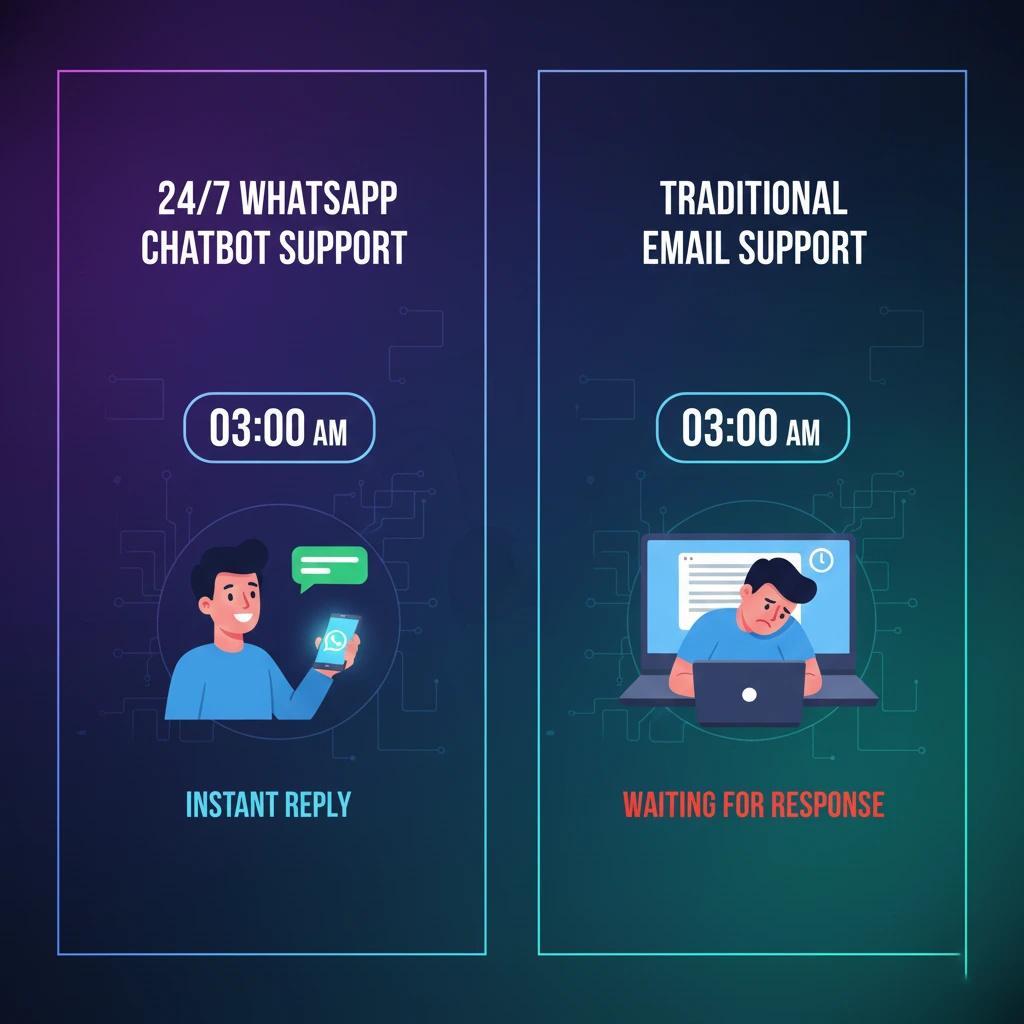
Customers today expect answers immediately. If they have to wait hours for a reply, they will often go to a competitor. This behavior has caused a major shift in how companies handle support. Traditional call centers that are open only from 9 to 5 are no longer enough. To keep customers happy, businesses are moving to always-on customer service. This means being available 24 hours a day, 7 days a week. However, hiring staff for night shifts is expensive. This is why automation and chatbots on popular apps like WhatsApp have become the standard solution for modern businesses.
How to Set Up 24/7 WhatsApp Chatbot Support
Setting up a chatbot might sound technical, but it follows a logical path. You do not need to be a computer genius to understand the basics. This section gives you a fast overview of what the process looks like and what you gain from it.
What is 24/7 Automated Support on WhatsApp?
24/7 Automated Support on WhatsApp* is a system where a computer program manages incoming messages on your business number. It reads the user's text and provides a pre-written answer or performs an action. It never sleeps, takes breaks, or gets tired. It ensures your business is "open" even on holidays.
API Access, Flow Design, and Deployment
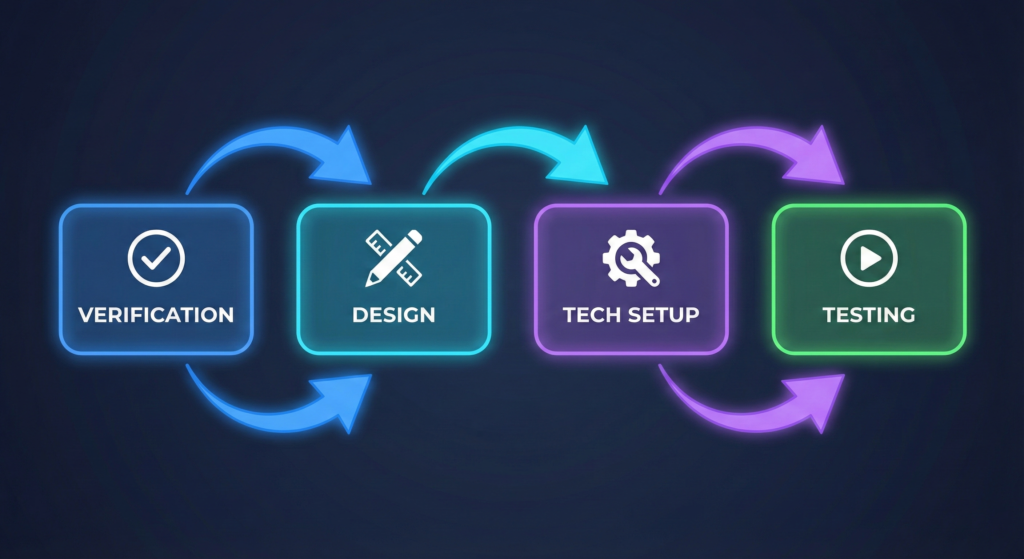
To get this running, you generally follow three main steps:
- API Access: You must get approval from Meta (Facebook) to use the advanced WhatsApp Business API.
- Flow Design: You map out what the bot should say. This includes greetings, answers to FAQs, and menu options.
- Deployment: You connect your design to a live phone number so customers can start chatting.
Immediate Benefits of Automation
Implementing a chatbot changes your business metrics quickly. Here is what you can expect right away.
| Benefit Category | Immediate Impact | Why It Matters |
| Speed | 0-second response time | Customers stay engaged and don't look for competitors. |
| Cost | Lower support costs | You don't need to pay overtime for night shifts. |
| Volume | Unlimited capacity | The bot can talk to 1,000 people at the same time. |
| Consistency | 100% accurate answers | Robots don't have "bad days" or forget information. |
Benefits of Using WhatsApp Chatbots for Customer Service
There are many reasons why companies switch to automation. It is not just about being cool or modern; it is about saving money and making customers happier. Let's look at the specific benefits that drive growth.
Impact on Response Time and CSAT Scores
The most obvious benefit is speed. Human agents might take minutes or hours to reply. A chatbot replies in milliseconds. Data shows that fast response times directly increase Customer Satisfaction (CSAT) scores. When a customer gets an instant answer to a simple question like "What are your hours?", they feel valued. High CSAT scores usually lead to more repeat buyers.
Reducing Human Agent Workload
Hiring a full support team is expensive. You have to pay salaries, benefits, and training costs. A chatbot handles the repetitive work. It takes care of the "easy" questions that make up 80% of support tickets. This allows you to run a leaner team. Your human agents can focus only on complex issues that require empathy, making your spending much more efficient.
Handling Peak Hour Traffic Without Delays
Imagine you launch a big sale or a holiday promotion. Suddenly, 500 people message you at once. A human team would be overwhelmed. Wait times would skyrocket. A WhatsApp Chatbot scales instantly. It can handle one message or one million messages with the same speed. You do not need to hire temporary staff for busy seasons.
What Are the Essential Features of a WhatsApp Chatbot?
Not all chatbots are created equal. Some are simple, while others are very smart. When you are looking for a solution, there are specific features you must look for to ensure your customers have a smooth experience. You can explore more about these tools on our Features page.
Natural Language Processing (NLP) vs. Rule-Based Logic
There are two main ways chatbots understand people:
- Rule-Based Logic: The user clicks buttons or types of exact keywords (like "Menu"). It is simple and reliable.
- Natural Language Processing (NLP): The bot understands human speech. If a user types "I want to return my shoes," the bot knows this means "Returns." NLP makes the conversation feel more natural and less robotic.
Automated Human Handover and After-Hours Logic
A bot cannot solve everything. A critical feature is Human Handover. If the bot gets confused or the customer asks for a human, the system must transfer the chat to a live agent. You also need After-Hours Logic. This tells the bot what to do when no humans are in the office, such as taking a message and promising a callback the next morning.
Multimedia Capabilities: Sending Images, Docs, and Locations
Text is boring. A good WhatsApp chatbot can send and receive rich media.
- Images: Send product photos or troubleshooting diagrams.
- Documents: Send PDF brochures or invoices automatically.
- Locations: Send the map location of your store.
This makes the support experience much more helpful than just plain text.
Advanced Flow Building
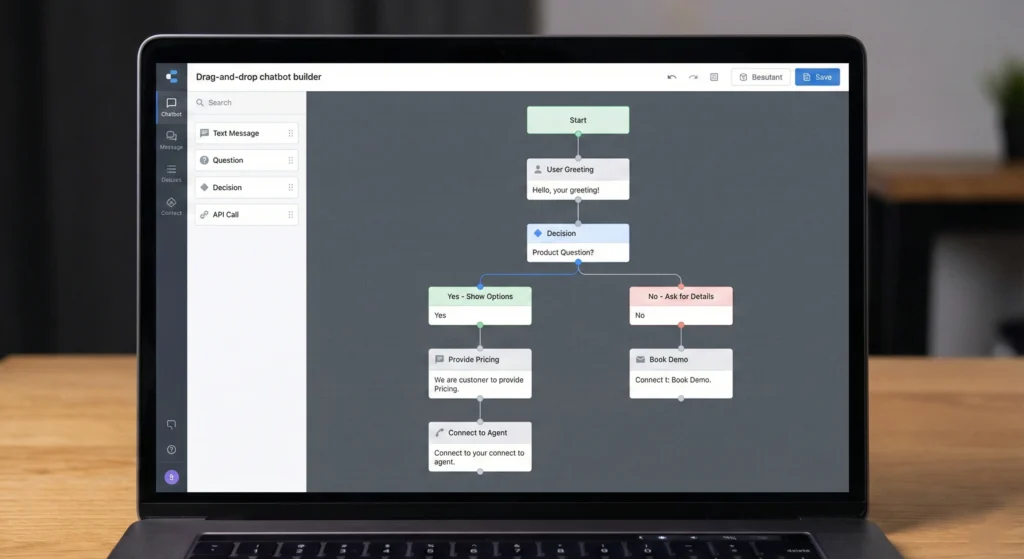
Building these conversations requires a good tool. Waplify offers a drag-and-drop builder. This allows you to visually design how the conversation moves from one step to the next without writing code. You can easily add logic, delays, and media to make the chat feel friendly and professional.
Best WhatsApp Chatbot Platforms Comparison: 2025 Review
Choosing the right software provider is the most important decision you will make. There are many options, and they all offer different things. It helps to compare them side-buyside to see which one fits your budget and needs.
Top 5 Providers by Feature Set and Pricing
Here is a look at how different types of providers compare in the current market.
| Provider Type | Best For | Pricing Model | Ease of Use |
| Waplify | SMBs & Scaling Brands | Affordable Subscription | High (Visual Builder) |
| WATI | General Purpose | Per Agent/Month | Medium |
| Interakt | E-commerce | Tiered Plans | Medium |
| Twilio | Developers | Pay Per Message (API) | Low (Requires Coding) |
| AiSensy | Marketing Focus | Monthly Fee | Medium |
How to Choose the Right WhatsApp Chatbot Provider
When picking a provider, look at three things: Usability, Support, and Cost. Can your team use the software easily? Does the provider offer help if you get stuck? Are there hidden fees? Don't just pick the cheapest one; pick the one that will actually solve your problems.
Global Tools vs. Regional Specialists
Global tools like Twilio are powerful but can be hard to set up. They don't always understand local rules. Regional specialists or focused platforms often provide better support. They know the local market challenges and often have better relationships with local businesses.
Choosing Your WhatsApp Marketing Partner in India: Compliance and Local Features
If you are operating in specific regions like India, local rules matter. You need a partner who understands local payment integrations and strict spam laws. Choosing the wrong partner can get your number blocked. For a deep dive on this, read our guide on Choosing Your WhatsApp Marketing Partner in India a Comparative Guide to Features and Compliance.
WhatsApp Business API Chatbot Integration Guide
Ready to build your bot? This section walks you through the practical steps. It takes you from having nothing to having a fully working 24/7 support agent.
WhatsApp Business API Account Verification
You cannot use a regular WhatsApp account for chatbots. You need the WhatsApp Business API. To get this, you must verify your business with Meta (Facebook). This proves you are a real company. You will need legal documents like your business registration and tax ID.
WhatsApp Business API Compliance 2025 Requirements
Meta has strict rules to prevent spam. You must follow them to keep your account safe.
- Opt-in: Users must agree to receive messages.
- Quality Rating: If people block you, your rating drops.
- Template Approval: Marketing messages must be pre-approved.
For a full list of rules to keep your number safe, check the WhatsApp Business Api Compliance 2025 Checklist.
Designing the Conversation Flow
Before you touch the software, use a whiteboard or paper. Draw out the conversation. Start with "Hello." Then list the options: "1. Support," "2. Sales," "3. Track Order." Keep it simple. Complicated flows frustrate users. Make sure there is always a way to go back to the main menu.
Technical Setup and Webhook Configuration
This is the technical part. You connect your chatbot platform (like Waplify) to the WhatsApp API. This often involves copying a "Webhook URL" from your platform and pasting it into your Facebook developer settings. This link acts like a telephone wire, sending messages back and forth between WhatsApp and your bot.
Testing and Going Live
Never launch without testing. Use your personal WhatsApp number to chat with your new bot. Try to break it. Type weird things. See if the Human Handover works. Once you are sure it works smoothly, you can publish it and tell your customers.
WhatsApp Chatbot Setup Steps for Small Business vs. Enterprise
The size of your company changes how you use chatbots. A small bakery needs a different bot than a multinational airline. Here is how the strategy differs.
Simple Automation Strategies for SMBs
- Welcome Message: Greet every customer instantly.
- FAQ Menu: Answer "Hours," "Location," and "Pricing."
- Away Message: Let them know when you will be back.
This takes very little time to set up and solves 90% of problems for small shops.
Complex Workflows for High-Volume Enterprises
Big companies need deeper integration. Their bots connect to CRM systems (like Salesforce) or databases.
- Order Tracking: The bot looks up a tracking number in the database.
- User Verification: The bot checks if the user is a premium member.
- Multi-Language Support: The bot detects the language and switches automatically.
WhatsApp Business API for Real Estate Automation
Real estate is a perfect example of complex automation. Agents are often busy showing houses. A chatbot can collect lead details, schedule viewings, and send property brochures automatically. This ensures no lead is lost while the agent is driving. Learn more about this specific use case in The Ultimate Guide to WhatsApp Business Api for Real Estate Boost Leads Close Deals.
Cost of WhatsApp Chatbot for Business: A Transparent Breakdown
How much does this cost? It is usually cheaper than hiring staff, but you need to understand the pricing model to budget correctly. You can view detailed plan options on our Pricing page.
Understanding Meta's Conversation-Based Pricing
Meta charges per conversation, not per message. A "conversation" is a 24-hour window.
- Service Conversations: If a user messages you, it is usually cheaper or free (within
- limits).
- Marketing Conversations: If you message the user first (like a promo), it costs more.
Understanding these windows helps you save money.
Platform Fees vs. Implementation Costs
- Platform Fees: This is the monthly rent you pay for the software (like Waplify).
- Implementation Costs: If you hire an agency to build the bot for you, that is a onetime fee. If you build it yourself using a visual builder, this cost is zero.
Waplify Pricing Structure: Maximizing Value
Waplify structures pricing to help businesses grow. Instead of charging for every tiny feature, the goal is to provide a comprehensive toolset at a predictable rate. This allows you to scale your support without worrying that your bill will triple overnight.
Future-Proofing Your Customer Support Strategy
The world is moving toward instant, automated communication. Setting up 24/7 WhatsApp Chatbot Support is no longer just an option; it is necessary to stay competitive. By following the steps in this guide (getting API access, designing a smart flow, and choosing the right partner), you can build a support system that works while you sleep. Start small, test often, and watch your customer satisfaction scores rise.