
WhatsApp Chatbot Builder for Every Business
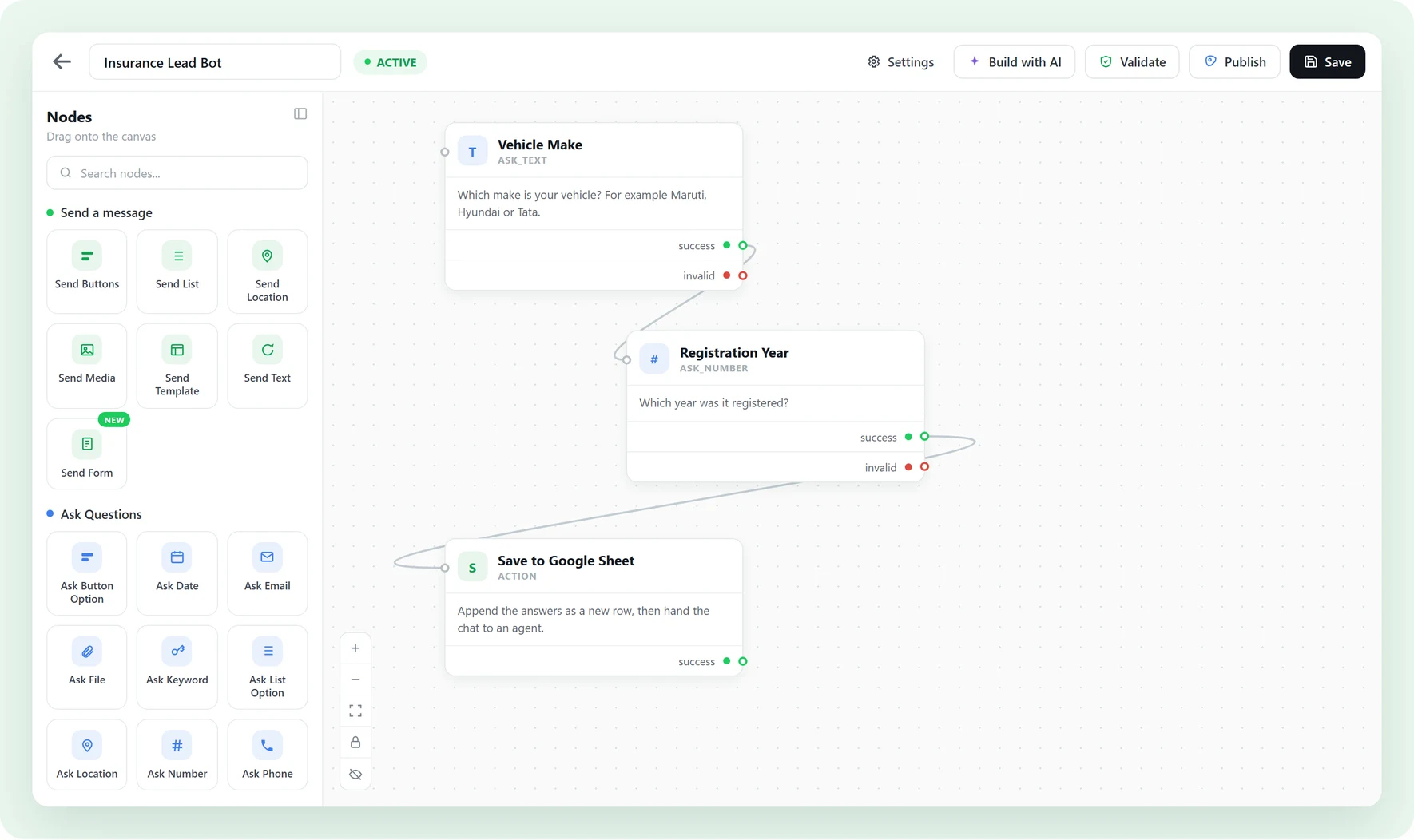
Build a no-code WhatsApp chatbot. Drag nodes on a canvas, connect them, hit publish. The visual flow builder is included on every plan, with no upgrade fee.
Why most WhatsApp chatbots fail growing businesses
Three things go wrong before you ever publish.
-
Flow builders are paywalled
Some platforms paywall their flow builder behind a higher tier. With Waplify, the visual flow builder is included on every plan. No upgrade required.
-
AI promises, brittle results
AI bots go off-script in front of paying customers. Waplify’s flow builder is predictable visual logic you control. Audit it, test it, fix it before customers see it.
-
Hidden step caps mid-build
Some platforms cap chatbots at a fixed number of steps. Waplify has no hard cap. Keep flows under 20 nodes for maintainability, but the limit is design, not platform.
Built for any business that talks to customers on WhatsApp
-
Agencies
Manage multi-client retainers, approvals, and weekly briefings.
-
Coaching
Track batches, admissions, fee notices, and class reminders.
-
Education
Reach students and parents with fees, exams, and class updates.
-
Medical & Clinics
Appointment reminders, follow-ups, and branch alerts.
-
Tourism
Share itineraries, seasonal offers, and trip-day reminders.
-
Travel agencies
Send trip plans, booking updates, and post-trip follow-ups.
-
Real estate
Send listing alerts, qualify buyers, and book site visits.
-
Professional services
Client onboarding, milestones, and renewal nudges.
-
Finance & Insurance
Policy reminders, EMI alerts, and document collection nudges.
What can a WhatsApp chatbot do?
Four capabilities that turn a static contact list into a 24/7 conversation engine.
Drag-and-drop visual builder
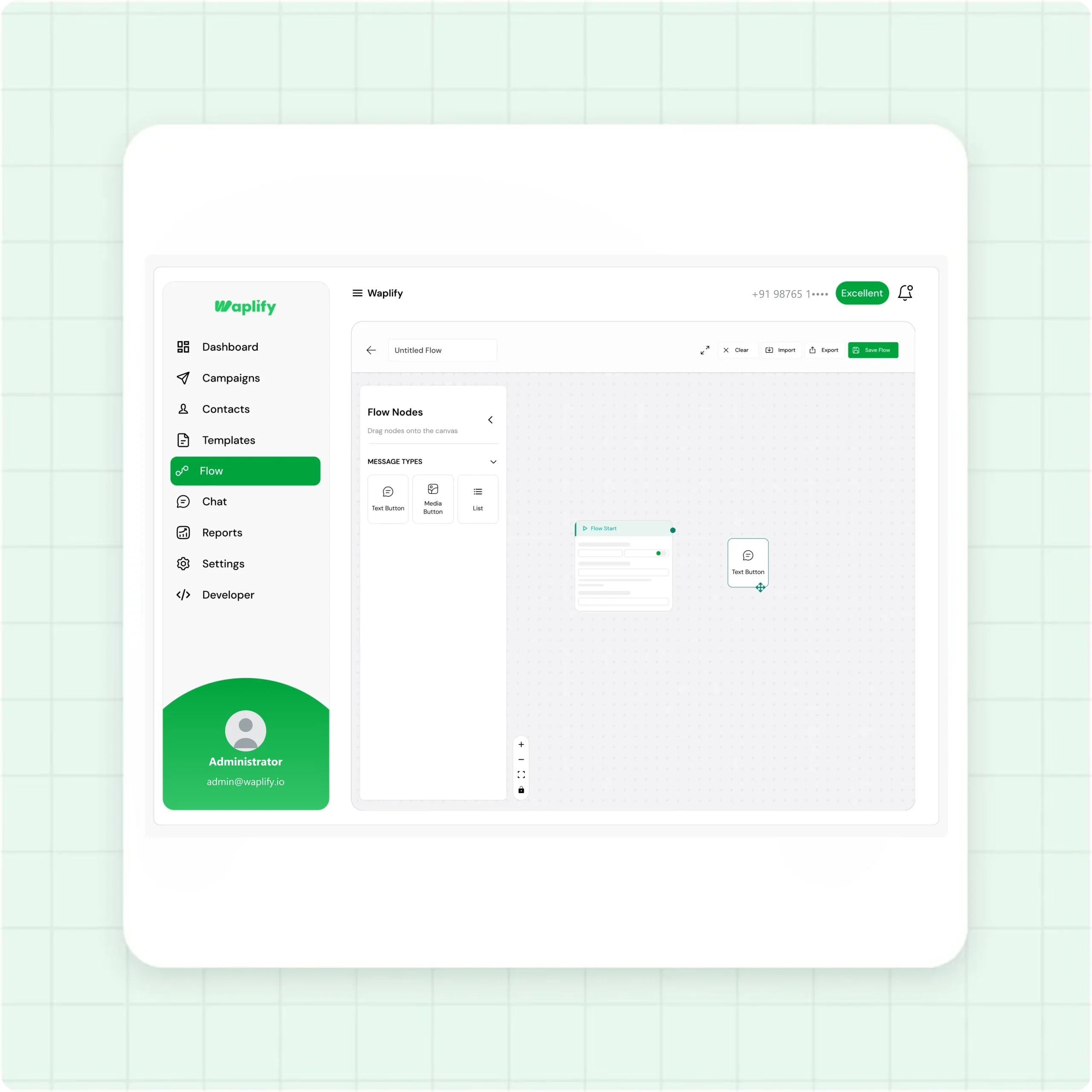
Plan your conversation on a canvas. Drag nodes, connect them, no coding required.
- Visual canvas with zoom and pan
- Eight node types: Start, Message, Text Button, Media Button, List, Ask, Condition, API
- Built-in simulator tests every path before publish
Routing logic that actually works
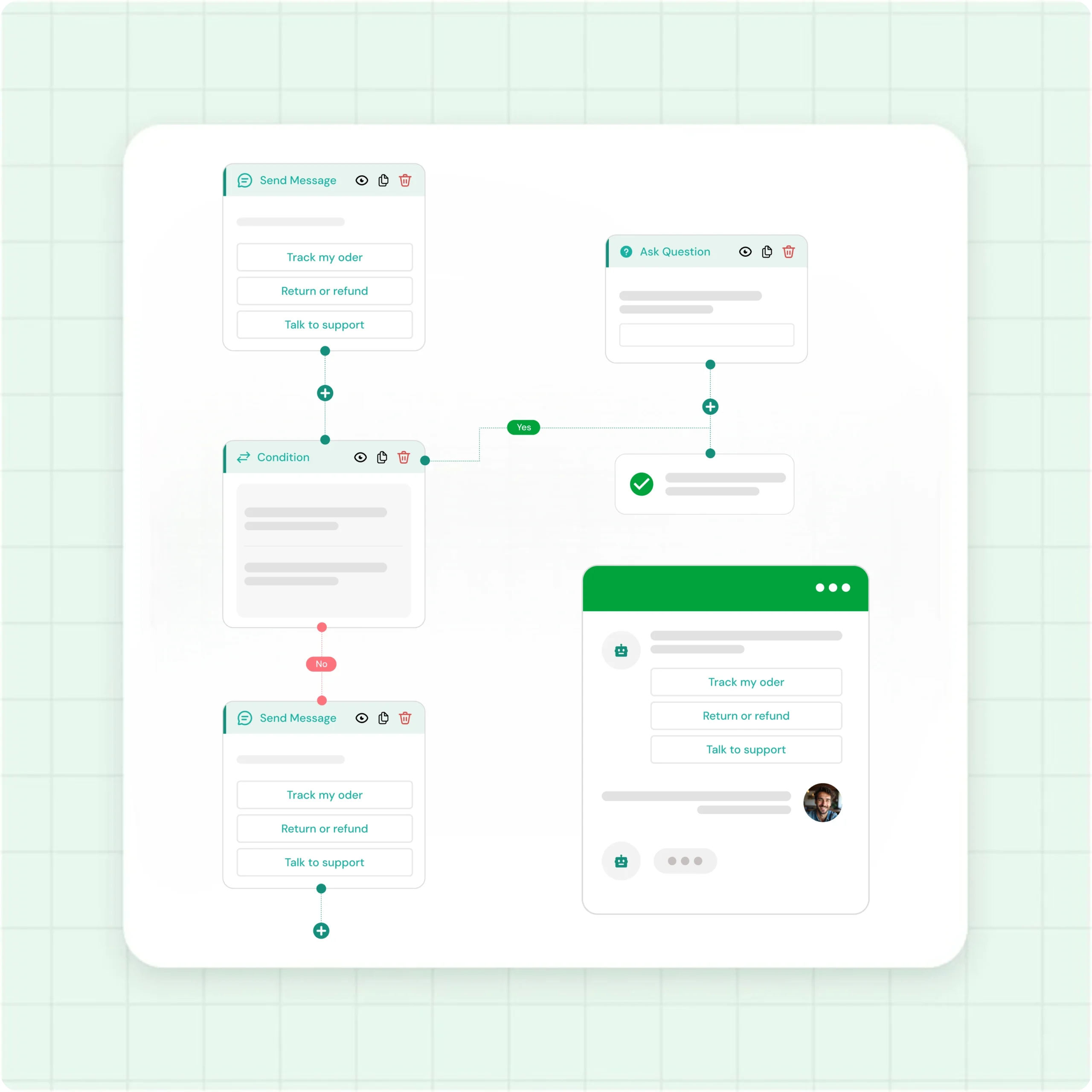
Branch by button, list, or condition. Customers get the right answer for what they typed.
- Up to 3 Text Buttons per message, or Lists for 4+ options
- Condition node branches based on user reply
- Ask node collects name, email, order number, custom fields
API node for the technical paths
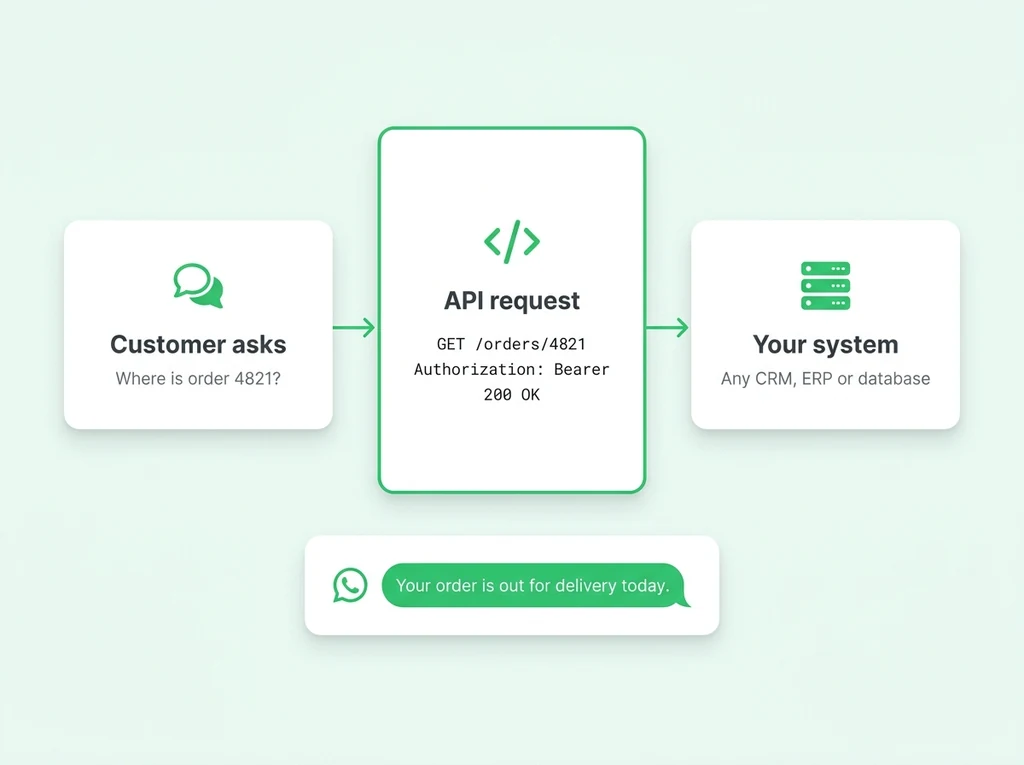
Pass the bot an order number, fetch real-time status from your CRM, return the answer in chat.
- GET or POST to any external system
- Connect CRM, order management, or your own backend
- Developer configures once, the rest of the flow stays no-code
Hand off to a live agent when needed
When the flow does not cover a question, the conversation lands in the shared inbox for a human.
- Shared team inbox with role-based permissions
- 24-hour open window for free-form replies after a customer messages
- Quick Responses speed up the human side
From idea to live chatbot in under an hour
-
Open the Flow Builder
Sign up at app.waplify.io, go to Flows, click Create Flow. Name it, save. You are on the canvas.
-
Build on the canvas
Drag Message, Button, List, Ask, Condition, and API nodes. Connect them. Configure each.
-
Test with the simulator
Click Simulate. Walk every path. Catch dead ends. Fix them. Nothing goes to real customers yet.
-
Set triggers and publish
Pick keywords customers send to start the flow. Hit Publish. Your chatbot is live, 24/7.
How real teams use Waplify chatbots
-
A digital agency qualifying inbound leads
A digital agency runs a chatbot triggered by "hi". It asks qualifying questions, branches high-fit leads to the human inbox, and sends others a brochure PDF.
-
A coaching institute handling new-batch enquiries
A coaching institute publishes a chatbot on "courses". A List shows batches, an Ask captures name and timing, a Message sends a personalized brochure.
-
A travel agency taking enquiries around the clock
A travel agency runs a chatbot that asks destination and dates. An API node pulls live availability. If in stock, the bot shows the price. Otherwise it offers alternatives.
-
Greet people who arrive from an ad
When someone taps a Click-to-WhatsApp ad on Facebook or Instagram, the flow can open with a message about that specific ad instead of a generic hello. Point each ad at its own flow and the conversation starts where the ad left off.
Common questions
Quick answers to the questions buyers ask most
1. Is the flow builder included on every plan?
2. How many steps can a chatbot flow have?
3. Do I need to know coding?
4. Can the chatbot hand off to a human?
5. Does Waplify have AI or natural-language understanding?
6. Can a chatbot reply to people who come from a WhatsApp ad?
7. What does the lifetime plan include?
Get Lifetime Access to Waplify Today
Stop paying for monthly subscriptions. Automate your business forever with a one-time investment.
Lifetime plans from $199