
WhatsApp Business App vs. API: A Comprehensive Feature Comparison for Strategic Migration
The core difference between the WhatsApp Business App and the WhatsApp Business API is scalability. The App is a free, manual tool designed for small business owners who manage chats personally on a single phone. The API is a paid, automated software interface that connects to CRM systems, allowing medium-to-large businesses to send unlimited messages, use AI chatbots, and have multiple team members reply from a single dashboard. Choosing the right one depends on whether you need a simple phone inbox or a fully integrated customer communication platform.
The Scaling Crisis in Business Messaging
Every growing business eventually hits a wall with messaging. You start with a personal phone number, then switch to the WhatsApp Business App to look more professional. It works great when you have 50 customers. But when you have 500 or 5,000, the App breaks down.
You might notice phones ringing off the hook, staff fighting over who holds the device, or customers waiting hours for a reply. This is the scaling crisis. It is the moment where manual typing cannot keep up with customer demand. Understanding the shift from the App to the API (Application Programming Interface) is the only way to solve this bottleneck and keep growing.
WhatsApp Business App vs. API at a Glance
The choice between the App and the API comes down to how your business operates daily. One is for manual, human effort, and the other is for system-driven automation.
The Core Distinction: Owner-Operated vs. System Automated
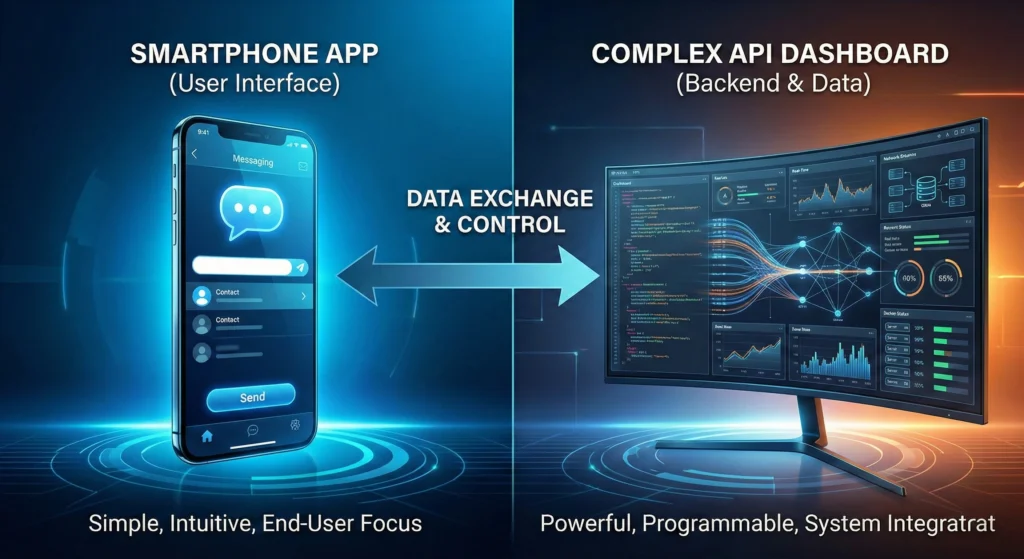
The WhatsApp Business App is built for an owner-operated model. It lives on a smartphone. It relies on a human pressing "send" for every message. It is perfect for a local bakery or a solo consultant.
The WhatsApp Business API is built for a system-automated model. It does not have an interface of its own. Instead, it connects WhatsApp to software you already use, like a customer support dashboard or marketing tool. This allows for massive scale without needing a physical phone for every employee.
Features, Limits, and Costs
| Feature | WhatsApp Business App | WhatsApp Business API |
| Primary User | Solopreneurs / Small Local Shops | SMBs, Enterprises, Support Teams |
| Interface | Mobile App (iOS/Android) | Third-Party Inbox / CRM Dashboard |
| User Limit | 1 Phone + 4 Linked Devices | Unlimited Users (via software) |
| Broadcast Limit | 256 contacts per list | Unlimited (based on tier) |
| Automation | Basic Greeting & Away messages | Advanced AI Chatbots & Flows |
| Green Tick | Not Available | Available for verified brands |
| Cost | Free (Optional Premium subscription) | Paid (Per conversation + Platform fee) |
The WhatsApp Business App (2025 Reality)
The WhatsApp Business App is a robust tool for micro-businesses. It looks and feels exactly like the personal WhatsApp you use every day, but it adds a few "business layer" features.
Clarifying Device Limits: The 4-to-10 Device Nuance (Premium)
For years, you could only use the App on one phone. Now, Meta allows you to link up to four additional devices (like a web browser or tablet). This is free and helpful for a very small team.
If you pay for a WhatsApp Premium subscription (available in select regions), this limit increases to 10 web-based devices. However, there is a catch. The "primary" account still lives on one physical phone. If that phone is lost or the number is banned, your entire team loses access.
Broadcast Lists vs. True Bulk Messaging
Sending bulk messages on the App is tricky. You use Broadcast Lists, which allow you to send a message to 256 people at once.
However, there is a major restriction: The customer must have your number saved in their phone. If they haven't saved you as a contact, they will never receive your message. This prevents the App from being a true marketing tool for cold leads or new customers.
Ideal Profile: Who Should Stay on the App?
You should stick with the App if:
- You answer all messages personally.
- You have fewer than 500 customers.
- You do not need to integrate chat data with other software.
- Your budget for messaging is zero.
What is WhatsApp Business API and How It Works
The API is not an app you download from the Play Store. It is a set of codes that connects WhatsApp to professional business software. This connection allows you to manage messages at a much higher volume.
The Technical Architecture: Hosted vs. Cloud API
In the past, accessing the API was hard. You needed complex servers. Today, Meta offers the Cloud API. This version is hosted directly on Meta's servers. It is faster, cheaper, and easier to set up.
Because the API has no "front end," you need to connect it to a specialized inbox or CRM. For businesses looking to understand how these connections work in the near future, reading about WhatsApp Business Api Integrations 2026 Automation can explain how software "talks" to WhatsApp to handle tasks automatically.
Key Capabilities: CRM Integrations and High-Volume Throughput
The API allows you to send thousands of messages instantly. It also tracks everything. Every conversation is logged into your Customer Relationship Management (CRM) system.
This means your sales team can see exactly what your support team said to a client last week. There are no silos.
Ideal Profile: Who Needs to Upgrade Immediately?
You need the API if:
- You have a sales or support team of 5+ people.
- You want to send newsletters to thousands of opt-in customers.
- You need to automate answers to common questions.
- You are a growing SMB.
For small businesses ready to make the jump, a WhatsApp Api Smb 2026 Quick Start guide can help clarify the initial setup steps.
Limitations vs. Opportunities
The decision to migrate usually happens when a business hits a specific pain point. Let’s look at the critical differences that drive this decision.
Team Access and Scalability: Moving Beyond the Phone
On the App, if two people try to type on the same chat from different devices, it gets messy. You cannot assign chats to specific agents.
With the API, you use a shared team inbox. You can assign a conversation to "Agent A." If "Agent A" goes on holiday, a manager can reassign it to "Agent B" instantly. You can have 50 agents working on the same WhatsApp number without confusion.
Automation Levels: Quick Replies vs. 24/7 AI Chatbot Support
The App offers "Quick Replies" (pre-typed shortcuts). This saves time, but a human must still click send.
The API supports full chatbots. These bots can handle queries at 3 AM, check order status, and book appointments without human help. For companies requiring round-the-clock service, implementing 24/7 WhatsApp Chatbot Support ensures customers are never left waiting.
Marketing Reach: Escaping the 256-Contact Broadcast Cap
As mentioned, the App limits you to 256 people per list. The API removes this ceiling. With the API, you start with a limit (usually 1,000 unique customers per day) and can scale up to unlimited daily messages as your quality score and reputation grow. You do not need customers to save your number to receive these messages.
Data Ownership: Local Backups vs. Centralized CRM History
If you lose the phone running the WhatsApp Business App, you might lose your chat history. Backups are often local or on a personal cloud drive.
With the API, data is stored in your software provider’s cloud. It is centralized, secure, and owned by the business, not the employee holding the phone.
The Economics of Upgrading
Money is a major factor. The App is free. The API costs money. However, the API creates value by saving time and increasing sales.
App Costs: Free Tier vs. Premium Subscription
- Standard App: $0 forever.
- Premium: Roughly $4–$5 USD/month (varies by country) for extra web devices and a custom web link.
API Costs: Understanding Meta's Conversation-Based Pricing (UIC vs. BIC)
The API charges per conversation. A "conversation" is a 24-hour window that opens when a message is sent.
- UIC (User-Initiated Conversation): The customer messages you. This is usually cheaper (or sometimes free for service inquiries).
- BIC (Business-Initiated Conversation): You message the customer (marketing). This costs more.
It is vital to budget for this. To get a detailed breakdown of these costs, check the WhatsApp Business API Pricing 2025: Your Definitive Cost Guide.
Vendor Considerations: Choosing WhatsApp API Providers for Small Business
Since you cannot download the API directly, you need a BSP (Business Solution Provider) or an Inbox provider. Some charge a monthly fee for their software on top of Meta's messaging fees. Always check if the vendor charges a markup on the message costs.
How to Move from App to API
Moving from the App to the API is a one-way street. You cannot easily go back. Follow these steps carefully.
Phase 1: Pre-Migration Backup and Number Verification
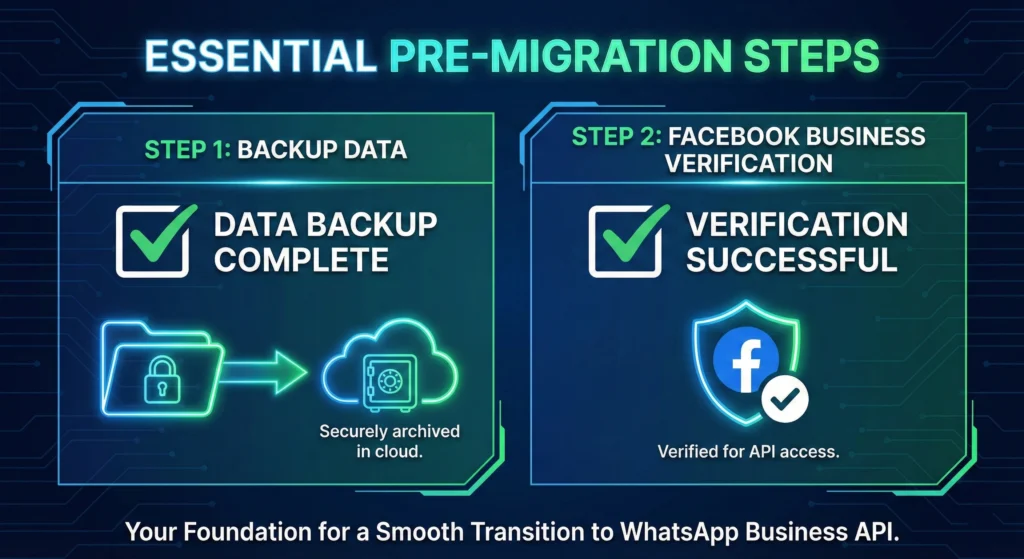
First, save your contacts and chat history from the App. You cannot import old chat history into the API directly. You must save it as a PDF or text file for reference. Ensure your Facebook Business Manager account is verified.
Phase 2: Deleting the App Account (The Scary but Necessary Step)
This is crucial. A phone number cannot exist on the App and the API at the same time. You must delete your account on the WhatsApp Business App. Simply deleting the app from your screen is not enough; you must go to settings and delete the account inside the app.
Phase 3: Connecting to a BSP and Re-Verifying
Once the number is free, you go to your chosen software provider (BSP) and register that same number on the API. You will receive an SMS or call to verify ownership.
Phase 4: Importing Contacts and Setting Up Automation
Upload your contact list (CSV file) to your new dashboard. Set up your welcome messages and chatbot flows. You are now live on the API.
The Green Tick Factor
One of the biggest perks of the API is the "Green Tick" verification badge next to your business name.
Why Only API Users Qualify for Advanced Verification
Meta reserves the Green Tick for API users to prove authenticity. It shows users that Meta has verified this is a notable, legitimate brand. You cannot get this on the standard App.
Impact on Open Rates and Customer Trust
A Green Tick increases trust instantly. Customers are less likely to block you and more likely to open your marketing messages. To understand the criteria for earning this badge, review the WhatsApp Green Tick 2026 Guide.
When to Use WhatsApp Business API Instead of App
Use this final checklist to make your choice.
Checklist for Migration Readiness
- [ ] Do you respond to more than 100 messages a day?
- [ ] Do you have more than 2 employees replying to chats?
- [ ] Do you need to connect WhatsApp to a CRM (like HubSpot or Salesforce)?
- [ ] Do you have a budget for marketing messages?
If you checked "Yes" to these, you are ready for the API.
Future-Proofing with 2026 Automation Trends
The future of business messaging is AI. By 2026, most customer service will be automated. The App will not support these advanced AI features. Moving to the API now prepares your infrastructure for the future.
Aligning Your Communication Tool with Business Strategy
The WhatsApp Business App is a great starting point, but it is a stepping stone. If your strategy involves growth, automation, and high-volume sales, the API is not just an upgrade; it is a necessity. Make the switch before your manual processes slow down your success.