
WhatsApp Quality Rating is a real-time health score for your business phone number that determines your ability to send messages. It acts as the Hidden Gatekeeper of your account. If your rating stays high, you can scale your messaging volume. If it drops, WhatsApp will restrict your reach to protect its users from spam. This metric is the single most important factor for businesses looking to grow on the WhatsApp Business API.
What is WhatsApp Quality Rating?
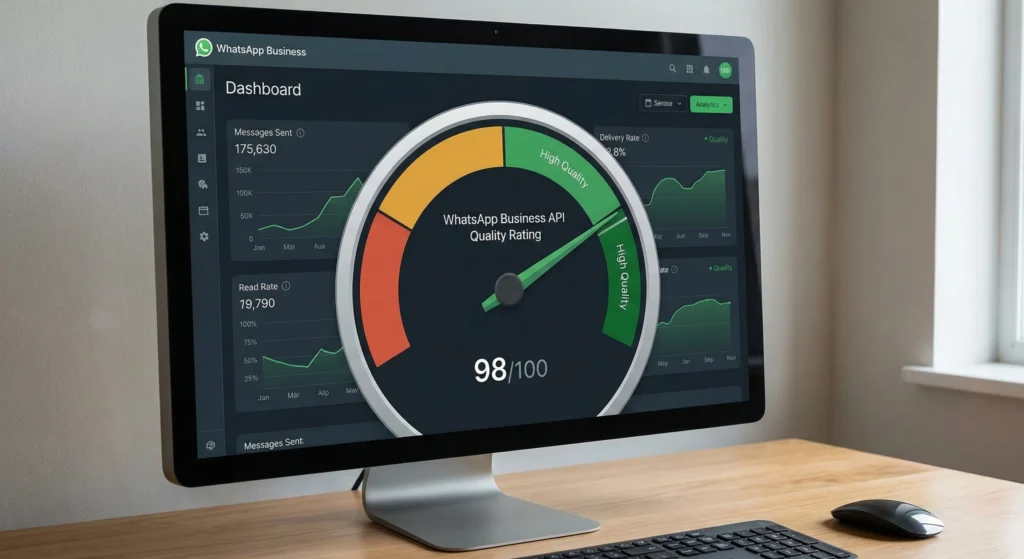
The WhatsApp Quality Rating is a strict performance metric that categorizes your business phone number's reputation into three color-coded tiers. This rating is based almost entirely on recent user feedback, specifically blocks and reports. It is not a vanity metric; it directly controls your Messaging Limits (how many users you can contact in 24 hours).
When you send messages that users find valuable, your score stays high. When users block you or report your messages as spam, your score drops. Maintaining a high rating is essential for keeping your business operations running smoothly.
The Health Score of Your Business Phone Number
Think of the Quality Rating as a credit score for your business communications. Just as a bank looks at your credit score to decide if they should lend you money, WhatsApp looks at your Quality Rating to decide if they should let you send more messages.
This score is dynamic. It changes constantly based on how people react to the messages you sent over the last seven days. It is attached to the specific phone number, not just the general business account.
Green, Yellow, and Red States Defined
This table explains exactly what each color means for your business continuity.
| Color State | Quality Status | What It Means | Operational Impact |
| Green | High Quality | Your messages are well-received. | You can upgrade messaging tiers and send freely. |
| Yellow | Medium Quality | Users are starting to block or report you. | Warning sign. You should slow down and check your content. |
| Red | Low Quality | High volume of negative feedback. | Critical. WhatsApp may lower your messaging limits or block your templates. |
How WhatsApp Calculates Quality
Meta (WhatsApp's parent company) uses an automated system to calculate your score. This system does not read your messages due to end-to-end encryption. Instead, it looks at user behavior signals.
The algorithm prioritizes the safety and experience of the end-user above everything else. If the algorithm detects that you are annoying users, it will penalize your number quickly.
Understanding Block Rates and Reporting
The biggest factor in your score is the Block Rate. This is the percentage of people who block your business after receiving a message.
- Low Block Rate: If very few people block you, your score stays Green.
- High Block Rate: If your block rate rises (even by a small percentage), your score drops to Yellow or Red.
User reports carry even more weight than simple blocks. When a user selects "Report Spam," it sends a strong negative signal to the algorithm.
How the Last 7 Days Impact Your Score
The algorithm focuses heavily on recency. It cares most about what happened in the last 7 days. This is good news and bad news.
- The Good News: You can recover from a bad score relatively quickly if you fix your behavior.
- The Bad News: A single bad marketing campaign sent today can crash your score immediately.
WhatsApp Business Api Compliance 2025 Checklist
To understand the full scope of rules that prevent blocks, you must stay compliant with Meta's policies. Review the WhatsApp Business Api Compliance 2025 Checklist to ensure your business practices align with the latest regulations.
Why Quality Score Controls Your Growth
Your Quality Rating is not just a suggestion. It is a control mechanism. If you ignore a low-quality score, your marketing and support channels will suffer directly.
WhatsApp uses this score to throttle businesses that might be spamming users. This ensures the app remains a place for personal communication, not just ads.
The Direct Link Between Quality and Messaging Limits
Every WhatsApp Business API account has a Messaging Limit. This is the number of unique conversations you can start in a 24-hour period (e.g., 1,000, 10,000, or Unlimited).
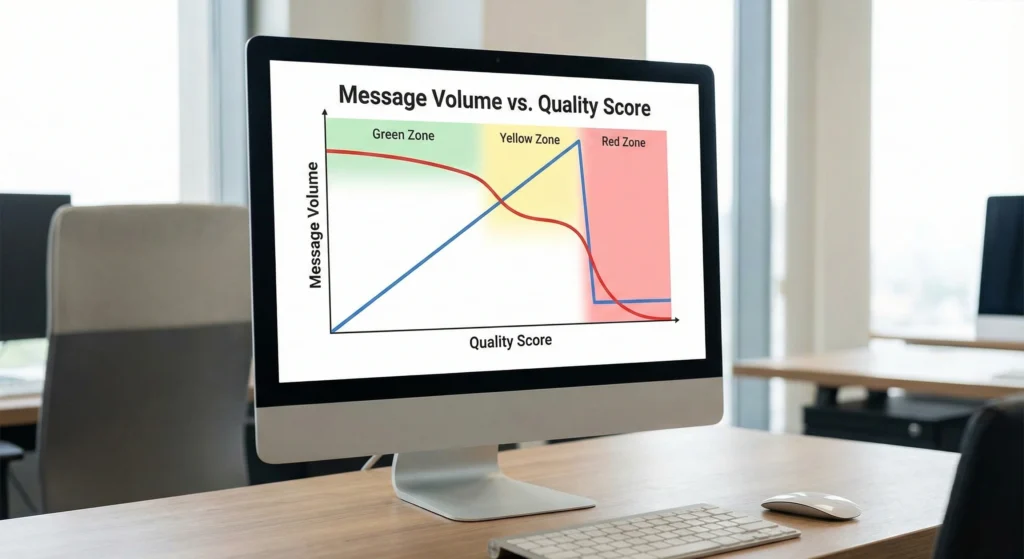
If your Quality Rating is Green, WhatsApp automatically increases your tier when you hit your current limit. If your rating is Low (Red), WhatsApp prevents you from upgrading. You will be stuck at your current level, unable to grow.
How Low Quality Triggers Tier Downgrades
The consequences can be severe if your rating stays Red for too long (usually 7 days). WhatsApp will actively downgrade your tier.
For example, if you are allowed to send 10,000 messages a day, but your quality is Red, WhatsApp may drop you back down to 1,000 messages a day. This effectively cuts your reach by 90% overnight.
How to Improve WhatsApp Business API Quality Score
Improving your score requires a change in strategy. You must focus on user value, not just sales volume.
The goal is to send messages that people actually want to read. When users reply to your message, it sends a positive signal to WhatsApp.
Audit Your Opt-In Flows to Reduce Negative Signals
The most common reason for a low-quality score is sending messages to people who did not ask for them. You must audit how you collect phone numbers.
- Clear Consent: Ensure users know they are signing up for WhatsApp updates.
- No Hidden Checkboxes: Do not bury the opt-in inside a Terms of Service agreement.
- Recent Interest: Only message users who have interacted with you recently.
Mastering Template Relevance to Lower Block Rates
Your message templates must be relevant. If a user signs up for shipping updates, do not send them a promo for a 50% off sale. This bait-and-switch causes users to block you.
Personalize your templates. Use the customer's name and reference their specific order or interest.
WhatsApp Template Categories Approval
Choosing the right category for your message is vital for approval and relevance. Learn how to categorize your messages correctly by reading about WhatsApp Template Categories Approval.
Implement Frequency Capping to Prevent User Fatigue
Sending too many messages is a surefire way to get blocked. Even loyal customers will get annoyed if their phone buzzes five times a day.
Implement Frequency Capping. This is a rule that limits how many messages a specific user receives in a week. For most marketing campaigns, one message per week is a safe limit.
Mastering Media Quality for Brand Perception
The visual quality of your messages impacts how users perceive your brand. Low-quality images or videos look like spam. High-quality media looks professional and trustworthy. When users see a professional image, they are less likely to report the message as spam.
Why Poor Media Quality Triggers Spam Reports
Spammers often use low-resolution, pixelated images. If your legitimate business sends a blurry photo, users might mistake you for a bot or a scammer. This leads to immediate blocks.
How to Send High Quality Photos on WhatsApp Business Broadcasts
To ensure your photos look crisp in a broadcast:
- Resize before uploading: Use an aspect ratio of 1:1 (Square) or 1.91:1 (Landscape).
- File limits: Keep the file size under 5MB, but ensure the resolution is at least 800x800 pixels.
- Avoid text-heavy images: Too much text on an image gets compressed poorly.
How to Upload WhatsApp Status Without Losing Quality
If you use WhatsApp Status for business updates, follow this workflow:
- Shoot the video or photo outside of WhatsApp using your phone's native camera.
- Edit the file to reduce file size without dropping resolution (use apps like Cap Cut or In Shot).
- Upload the file from your gallery, rather than shooting it directly in the app.
Why WhatsApp Status Video Quality is Low and Compression Fixes
WhatsApp aggressively compresses videos to save data. If your video looks bad:
- Check Resolution: 1080p is often compressed too much. Try converting your video to 720p before uploading. The native compression will handle this better.
- Bitrate: Lower the bitrate of your video during editing. A bitrate of 2-3 Mbps is ideal for WhatsApp.
How to Upload WhatsApp DP Without Losing Quality
Your Display Picture (DP) is your logo. It must be sharp.
- Dimensions: Use exactly 500x500 pixels or 640x640 pixels.
- Format: Use a PNG file instead of a JPEG to keep lines sharp and colors clear.
How to Improve WhatsApp Video Call Quality
If you use video calls for client support:
- Stable Connection: Switch to Wi-Fi instead of mobile data.
- Close Background Apps: Ensure your device isn't using bandwidth for other tasks.
- Lighting: Good lighting helps the camera focus, which reduces the "grainy" look of the video.
Verification as a Trust Buffer
Trust is your best defense against a low-quality score. When users trust your brand, they are more likely to mute a chat rather than block it.
The Correlation Between Business Verification and User Trust
A verified business account tells the user that you are a legitimate entity. This reduces the "Stranger Danger" reflex that causes many blocks. Verification adds a layer of credibility to your profile.
WhatsApp Verification Business Impact
Verification does more than just add a badge; it changes user psychology. Discover the full benefits in our article on WhatsApp Verification Business Impact.
Does the Green Tick Insulate Against Quality Drops?
The Green Tick (Official Business Account) is the ultimate sign of trust. While it does not stop the algorithm from tracking your quality, it does lower your block rate. Users almost never report Green Tick accounts as spam because they know the business is real.
Whatsapp Green Tick 2026 Guide
Securing this badge is getting more competitive. Prepare your strategy by reviewing the WhatsApp Green Tick 2026 Guide.
Steps to Fix a 'Red' Quality Rating
If your dashboard shows a Red quality rating, you need to act immediately. Do not ignore it.
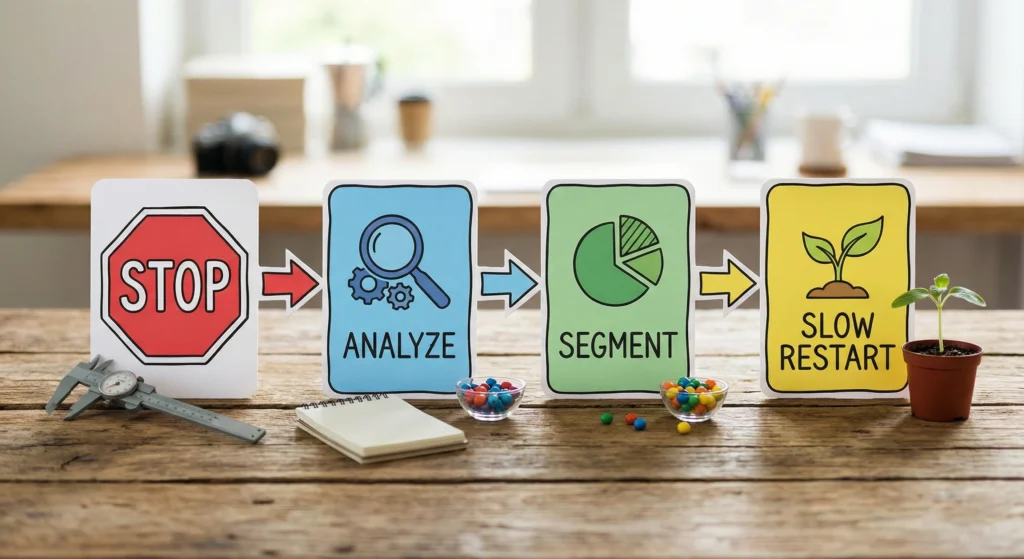
Stopping Broadcasts Immediately
- Stop all marketingcampaigns. Do not send a single promotional message.
- Continue sending utility messages (like OTPs or order confirmations). These usually have high response rates and help repair your score.
Gradual Volume Increase Strategies
Once your score returns to Yellow or Green, do not rush.
- Start small: Send to your most loyal customers first (those who engaged in the last 30 days).
- Monitor daily: Check your score 24 hours after every broadcast.
- Scale slowly: Increase your volume by 10-20% per day, not 100%.
Maintaining a Green State
- Monitor Daily: Check your Quality Rating every morning.
- Respect the User: Only send relevant content to people who opted in.
- Watch the Limits: A drop in quality leads to a drop in messaging limits.
- Optimize Media: Clear images and videos prevent spam reports.
- Pause if Red: Never try to "push through" a low score. Stop and fix the root cause.
By treating the WhatsApp Quality Rating as your primary health metric, you ensure your business can scale safely and effectively in the long run.