
WhatsApp Catalog Optimization: 7 Proven Strategies to Boost Your Chat Sales
WhatsApp Catalog Optimization is the strategic process of organizing and refining your digital storefront inside WhatsApp to increase sales and engagement. It involves fixing image quality, writing persuasive product descriptions, and structuring collections so customers can browse and buy without leaving the chat app. By treating your catalog like a real store, you turn casual messages into instant revenue.
The Silent Salesman in Your Chat Window
Imagine having a salesperson who works 24/7, never sleeps, and shows your products to thousands of people at once. That is what a well-optimized WhatsApp Catalog does for your business. It sits in your profile, ready to serve customers the moment they click on your name.
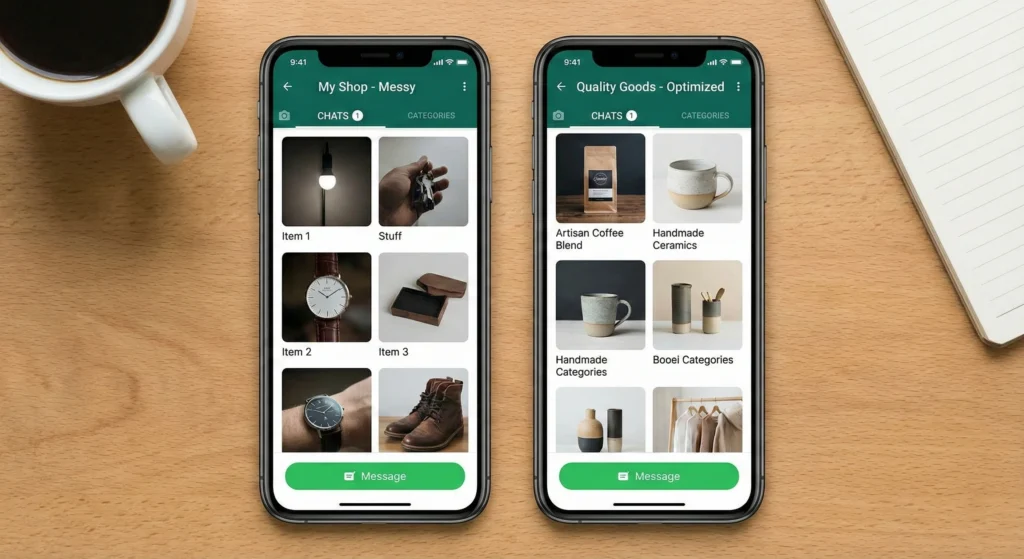
However, many businesses just upload random photos and hope for the best. This is a mistake. A messy catalog confuses buyers. To win the sale, your catalog needs to be clean, fast, and easy to read. It serves as your silent salesman, guiding users from "just looking" to "ready to buy."
What is WhatsApp Catalog Optimization? (The Direct Answer)
WhatsApp Catalog Optimization is the act of improving your product listings to get more clicks and orders. It focuses on three main things: Visual Appeal (images), Clarity (descriptions), and Structure* (collections).
When you optimize your catalog, you make it easy for WhatsApp's system to show your products to the right people. It also helps customers make decisions faster. The goal is to remove friction. If a customer has to ask "how much is this?" or "what size is this?", your catalog is not optimized. A good catalog answers these questions instantly.
7 Pillars of High-Converting Catalogs
Before diving into the details, here are the core principles you need to know. These 7 pillars form the foundation of a successful WhatsApp store.
- Image Quality: Use clear, square images that do not look blurry.
- Persuasive Text: Write descriptions that sell, not just describe.
- Smart Grouping: Use Collections to organize items logically.
- Psychology: Use scarcity and urgency to encourage quick action.
- Automation: Connect your catalog to automated messages.
- Analytics: Use data to see which products are popular.
- Trust: Verify your business to make customers feel safe.
Master Technical Image Specifications to Avoid Compression
The first thing a customer sees is your product image. If it is blurry or cropped wrong, they will scroll past it. WhatsApp compresses images to save data, so you must start with the right format to keep them looking sharp.
You need to follow specific rules for your photos. If an image is too large, it might not load on slow networks. If it is too small, it will look pixelated.
Optimal Pixel Dimensions and Aspect Ratios (1:1 vs. Landscape)
The best shape for a WhatsApp catalog image is a square (1:1 ratio). WhatsApp displays products in square tiles. If you use a wide landscape photo, the sides might get cut off in the preview.
- Recommended Size: 500 x 500 pixels.
- Minimum Size: 192 x 192 pixels.
Stick to the recommended size. This ensures your product looks good on both small and large phone screens. Do not use rectangular images unless you are okay with WhatsApp cropping them automatically.
Composition Hacks: Hero Images vs. Lifestyle Shots
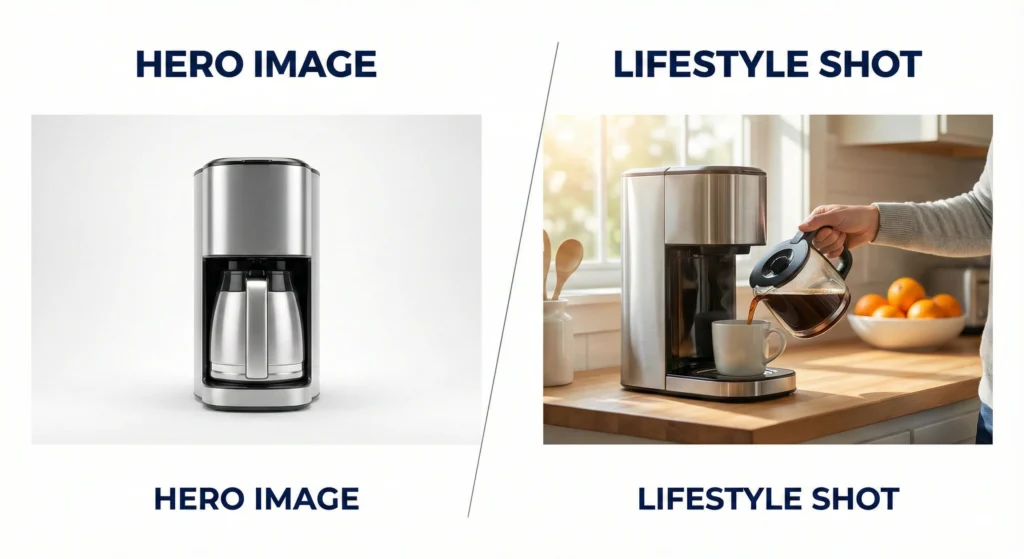
Your main image, or "Hero Image," should show the product clearly against a plain background (usually white). This helps the user see exactly what they are buying.
However, you can add more photos to the same listing. Use these extra slots for Lifestyle Shots. A lifestyle shot shows the product in use. For example, if you sell a watch, the hero image is just the watch. The lifestyle shot is a model wearing the watch. This helps the buyer imagine owning it.
Apply the AIDA Framework to Product Descriptions
Great photos grab attention, but words close the deal. You should not just list technical specs. You need to guide the reader through a journey. The AIDA framework stands for Attention, Interest, Desire, and Action. It is a classic sales technique that works perfectly for chat commerce.
When you write your description, keep it short. Mobile screens are small. Large blocks of text are hard to read. Break it up into small chunks.
Writing Hooks that Stop the Scroll
The first sentence of your description is your hook. It must grab Attention. Do not start with "This is a blue shirt." Start with a benefit.
- Bad: "100% cotton blue shirt for men."
- Good: "Stay cool all summer with this breathable, sweat-resistant cotton shirt."
Once you have their attention, build Interest and Desire by listing benefits, not just features. Finally, call for Action. Tell them to "Add to Cart" or "Message for Size."
Cross-Linking Related Items to Boost Average Order Value
You can increase the size of each sale by suggesting other products. In your product description, mention items that go well with the current one. This is called cross-selling.
For example, if you are selling a coffee machine, add a line at the bottom: "Works best with our Premium Arabica Beans (Code: 005)." While you cannot put a clickable hyperlink to another product inside the description easily, you can direct them to check a specific Collection. This encourages users to browse more of your store.
Strategic Curation Using Collections
A disorganized catalog is like a messy warehouse. Customers will get frustrated if they have to scroll through hundreds of mixed items to find what they want. You must use Collections to organize your inventory.
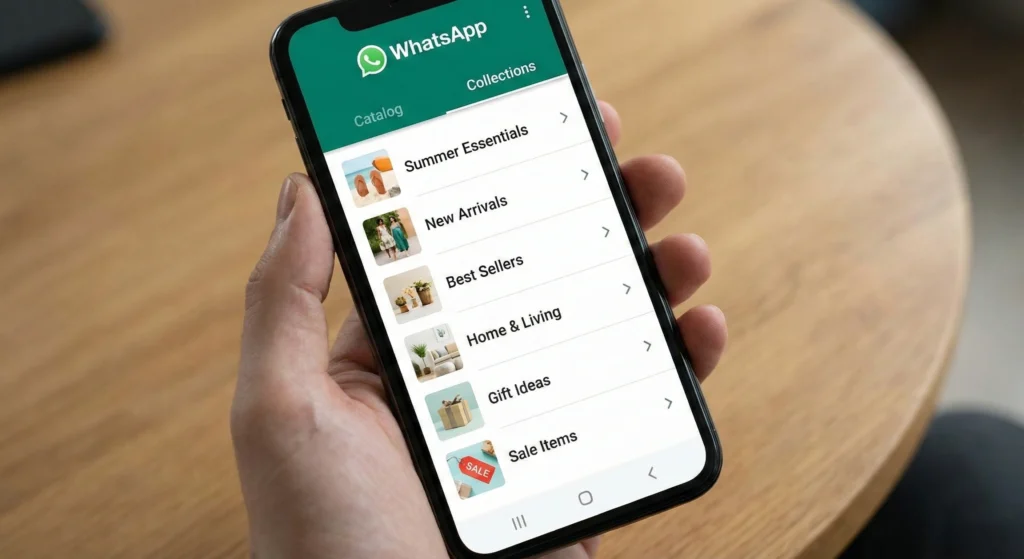
Collections act like folders. They group similar items together. This makes the shopping experience smooth and fast.
Combatting Decision Paralysis by Categorizing Inventory
When customers see too many choices, they often choose nothing. This is called decision paralysis. You can fix this by grouping items into simple categories.
Instead of a list of 50 items, create Collections like:
- Summer Arrivals
- Best Sellers
- Under $20
- Gift Sets
This guides the customer's brain. It makes the task of shopping feel manageable. They can click on the category that interests them and ignore the rest.
Structuring for Mobile Readability and Speed
Remember that everyone views your catalog on a phone. Long names for Collections get cut off. Keep titles short and punchy.
- Too Long: "New Collection of Summer Dresses for 2024 Season"
- Optimized: "Summer Dresses '24"
Put your most important Collections at the top. Most users will not scroll to the bottom of your profile. Front-load your best-selling categories to capture attention immediately.
Leverage Psychological Triggers and Scarcity
People are more likely to buy if they think they might miss out. You can use psychology to make your catalog more exciting. Scarcity is a powerful tool that makes products seem more valuable.
You do not need to lie. You just need to highlight that products are not infinite.
Creating Urgency with 'Limited Edition' Collections
Create a Collection specifically for items that are running low or are only available for a short time. Name it something urgent like "Last Chance" or "Limited Edition Drop."
When a customer browses this section, they know they need to act fast. You can also mention stock levels in the description, such as "Only 5 left in stock." This creates a natural urge to buy now rather than later.
The 'Ghost Product' Strategy for Anchoring Prices
Anchoring* is a psychological trick. If you want to sell a $50 shoe, put it next to a $100 shoe. The $50 shoe suddenly looks like a bargain.
You can use a "Ghost Product" to do this. This is a high-priced item that you might not expect to sell many of. Its main job is to make your other products look affordable by comparison. Place this high-value item at the top of a Collection to set the price anchor high.
Sync Catalog Links with Automated Drip Campaigns
A catalog that sits still does not sell as much as one that travels. You need to push your products to your customers. You can do this by syncing your catalog with drip campaigns. These are automated sequences of messages sent over time.
By sending product links directly to customers who opted in, you bring the store to them. For a deeper dive on setting this up effectively, read our guide on WhatsApp Drip Campaigns: Setup, Strategy & Success Guide.
Embedding Product Links in Marketing Templates
When you send a broadcast message or a drip message, do not just send text. Attach a specific product link from your catalog.
WhatsApp allows you to generate a unique link for every product. Copy this link and paste it into your message template. When the user clicks it, it opens that specific product card instantly within WhatsApp. This removes steps and makes buying easier.
Integrating with WhatsApp Drip Campaigns
To make this work smoothly, you need to plan your sequence.
- Day 1: Welcome message (Link to "Best Sellers" Collection).
- Day 3: Educational tip (Link to a specific product that helps with the tip).
- Day 7: Discount offer (Link to "Sale" Collection).
This keeps your catalog in front of the customer without being annoying. It feels helpful rather than pushy.
Data-Driven Optimization via Native Analytics
You cannot improve what you do not measure. WhatsApp provides data on how people interact with your business. You need to look at these numbers to understand what is working.
Different messages perform differently. To understand the difference between group messages and broadcasts, check out WhatsApp Business: Broadcast vs Group Analytics & ROI.
Interpreting Cart Adds vs. Message Sent Metrics
There are two key metrics to watch:
- Cart Adds: How many people put an item in their cart?
- Message Sent: How many people messaged you after viewing a product?
If you have high "Cart Adds" but low sales, your checkout process might be too hard. If you have low "Cart Adds," your images or descriptions might need work. Use this data to tweak your catalog. If a product has zero clicks, try changing the Hero Image or moving it to a different Collection.
Understanding WhatsApp Analytics & ROI
Regularly reviewing your analytics helps you calculate your Return on Investment (ROI). If you spend money on ads to drive traffic to WhatsApp, you need to know if those people are browsing your catalog. Tracking these interactions allows you to focus on the products that actually generate revenue.
Enhancing Trust with Verification Signals
Trust is the currency of the internet. Customers are careful about buying from unknown numbers. You need to prove you are a legitimate business.
The strongest signal of trust on WhatsApp is the Green Tick. This is a verification badge next to your business name. It shows WhatsApp has confirmed your identity. For full details on how to get this, refer to the WhatsApp Green Tick 2025: Guide, Eligibility & How to Apply.
The Role of the Green Tick in Catalog Credibility
When a customer sees the Green Tick, they are more likely to browse your catalog and make a purchase. It removes the fear of being scammed.
Even without the Green Tick, ensure your profile is complete. Add your physical address, website, and email. A complete profile makes your catalog look professional. An anonymous profile with a catalog looks suspicious.
Native Business App vs. WhatsApp API Catalog
Not all WhatsApp Catalogs are the same. Small businesses use the free WhatsApp Business App. Larger businesses use the WhatsApp Business API. The capabilities differ significantly.
If you are using the API, you need to be careful with message templates. Make sure you choose the right category for fast approval. Learn more about WhatsApp Template Categories: Choose for Fast Approval.
Features, Automation Limits, and Scale
Here is how the two versions compare:
| Feature | WhatsApp Business App | WhatsApp Business API |
| Catalog Limit | 500 products | Unlimited (via Facebook Sync) |
| Automation | Basic (Greeting/Away) | Advanced (Chatbots/Drip) |
| Multi-User | No (Limited devices | Yes (Multiple agents) |
| Checkout | Manual chat | Automated flows |
| Best For | Solopreneurs / Micro SMBs | Scaling Brands / Enterprises |
For businesses scaling up, the API is essential because it allows you to sync thousands of products automatically from your website.
Building a Full Catalog Sales Funnel
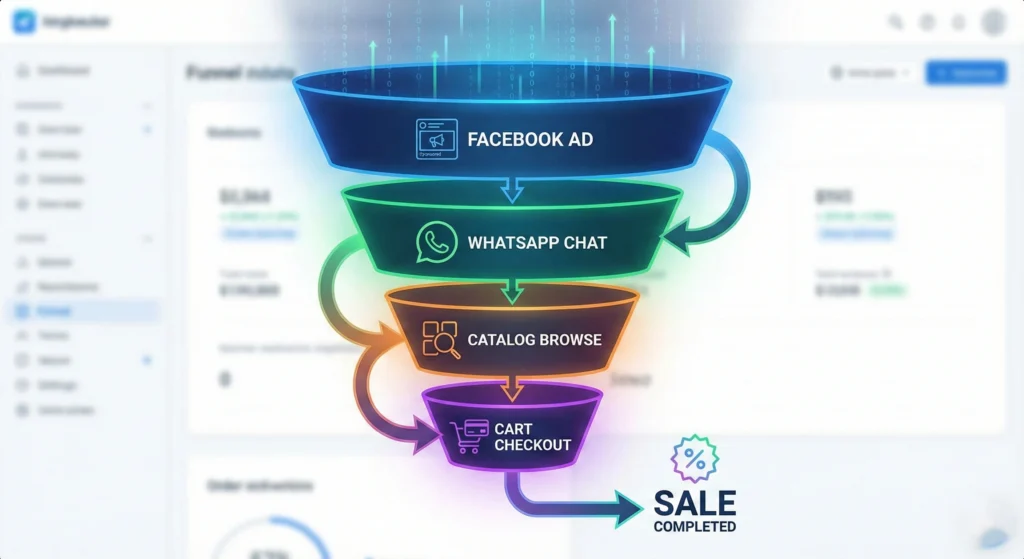
Your catalog is just one part of a larger machine. To really boost sales, you need to view it as part of a funnel. A funnel moves people from knowing you exist to buying your product.
You need a strategy that covers every step. For a localized approach, especially in emerging markets, read about how to Build a High-Converting WhatsApp Funnel for Indian SMBs.
Moving Users from Awareness to Checkout
- Awareness: Use Click-to-WhatsApp ads on Facebook or Instagram.
- Interest: The ad lands the user in your WhatsApp chat with a pre-filled message.
- Consideration: An automated bot sends the Catalog menu.
- Action: The user browses, adds to cart, and sends the order.
- Retention: You follow up with a drip campaign later.
By connecting these steps, your catalog becomes an automated sales machine that works around the clock.
Frequently Asked Questions (FAQ) on WhatsApp Catalogs
Q: Can I hide out-of-stock items?
A: Yes. You can mark items as hidden in your catalog manager so customers cannot see them until they are back in stock.
Q: Does WhatsApp charge a fee for selling through the catalog?
A: WhatsApp does not currently charge a transaction fee for catalog sales in most regions, but standard messaging rates for API users still apply.
Q: Can customers pay directly in WhatsApp?
A: In some countries like India and Brazil, native payment is available. In other regions, the "cart" is sent as a message, and you must send a payment link separately.
Turning Conversations into Instant Conversions
Optimizing your WhatsApp Catalog is not just about making things look pretty. It is about removing barriers. Every blurry image or confusing description is a wall between you and a sale.
By following these 7 strategies, from fixing your image ratios to leveraging the psychology of scarcity, you transform your chat window into a high-performance store. Start with your images today, organize your collections tomorrow, and watch your chat sales grow.