
WhatsApp Login Web Browser Battle: Comparing Chrome, Firefox, Edge, and Safari for Performance & Features.
The best browser for a whatsapp login web session depends entirely on your specific device and daily needs. Microsoft Edge provides the best overall performance and memory management for Windows users, while Safari offers unmatched battery life for macOS users.
If you need a wide range of plugins and extensions, Google Chrome is the most powerful option, though it uses more RAM. For users who prioritize data security above all else, Mozilla Firefox is the leading choice for privacy. Choosing the right browser for your whatsapp login web ensures your messages sync faster, your battery lasts longer, and your connection stays stable.
Why Your Browser Choice Matters for WhatsApp Login Web
Many people think WhatsApp Web works the same way everywhere. However, the browser you use acts as the engine for the application. Just like cars perform differently with different engines, WhatsApp Web behaves differently depending on whether you run it on Chrome, Firefox, Edge, or Safari. When you initiate a whatsapp login web session, the underlying technology of the browser dictates how fast the app opens, how quickly messages appear, and how much energy your computer uses.
Using the wrong browser can lead to annoying lags, missed notifications, or a laptop battery that drains too fast. For heavy users who keep WhatsApp open all day for work or personal chat, these small differences add up. This guide compares the four major browsers to help you choose the one that best fits your workflow.
The Best Browser for Speed, Battery, and Privacy
If you are in a rush, here is the bottom line. No single browser wins every category. Instead, each one has a specific strength that caters to a different type of user.
- Speed King: Google Chrome and Microsoft Edge tie here. They both use the Blink engine, which processes JavaScript very quickly. This makes chats load almost instantly.
- Battery Champion: Safari is the clear winner for Mac users. It is optimised to use very little power. On Windows, Edge has special "Efficiency Mode" features that conserve battery more effectively than Chrome.
- Privacy Hero: Mozilla Firefox blocks trackers by default and separates your browsing data. This makes it harder for companies to track your WhatsApp usage habits.
Chrome vs. Firefox vs. Edge vs. Safari
To help you decide quickly, we tested these browsers side-by-side. We looked at how much memory they use, how fast they feel, and what features they offer.
| Feature | Google Chrome | Microsoft Edge | Mozilla Firefox | Apple Safari |
| Engine | Blink (V8) | Blink (V8) | Gecko | WebKit |
| Speed | Very High | Very High | High | High |
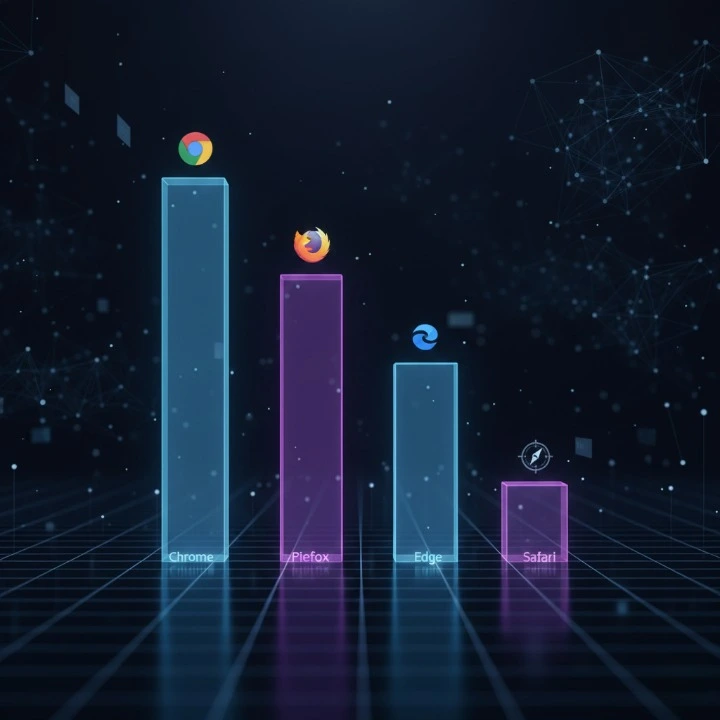
| RAM Usage | High | Medium (Efficiency Mode) | Medium | Low |
| Battery Life | Average | Good | Average | Excellent (macOS) |
| Privacy | Basic | Moderate | Advanced | Advanced |
| Best For | Extensions & Power Users | Windows Productivity | Privacy Advocates | macOS Battery Life |
Speed and Latency Analysis
Speed is usually the first thing users notice. We tested how long a WhatsApp login web session takes to open and how quickly the platform sends messages.
Cold Boot vs. Warm Refresh Load Times
A "cold boot" is when you open the browser for the first time. Chrome and Edge are the fastest here. They often keep background processes running to help them start up quickly. Firefox takes a second or two longer to open initially. A "warm refresh" is when you just reload the tab. All browsers perform well here, but Chrome feels slightly snappier due to its aggressive caching.
Message Synchronisation Lag Across Engines
When your phone receives a message, it sends data to the web browser. This sync process needs to be fast. In our tests, Edge and Chrome displayed new messages almost instantly. Safari sometimes had a tiny delay of about one second if the tab had been inactive for a while. This is because Safari pauses tabs to save energy.
QR Code Scanning Speed and Reliability
Connecting your phone is the first step. You need a browser that renders the QR code clearly and quickly. Chrome and Edge render the high-contrast code very sharply, allowing for instant scanning. Sometimes, Firefox with strict privacy settings can interfere with the connection script, causing a slight delay.
If you struggle with getting your phone to connect, you might need to check your camera or screen brightness. For a step-by-step walkthrough on fixing connection issues, check out our Best WhatsApp Web Scan QR Code: Easy 2026 Guide.

RAM Usage and Battery Efficiency
WhatsApp Web is a heavy application. It is constantly sending and receiving data. This requires your computer's Random Access Memory (RAM) and battery power.
Memory Consumption During Active 4-Hour Sessions
We left WhatsApp Web open for four hours to see how much memory it would "eat."
- Chrome: Used the most RAM. It keeps everything active so it is ready when you click back.
- Edge: Used about 20% less RAM than Chrome. Its "Sleeping Tabs" feature puts the tab to rest when you aren't looking at it.
- Firefox: usage was steady but higher than Safari.
- Safari: Used the least amount of memory, making it great for older MacBooks.
Tab Discarding and Background Resource Throttling
Browsers try to save resources by "discarding" or turning off tabs you haven't used in a while, which can often interrupt a whatsapp login web session or other active background connections. Edge is very aggressive with this; it will dim the tab to show it is sleeping to save your computer resources for other tasks. Chrome has started doing this too with its "Memory Saver" mode, but Edge still handles it better natively on Windows.
Battery Drain Test: Blink (Chrome/Edge) vs. WebKit (Safari) vs. Gecko (Firefox)
The engine makes a big difference in battery life.
- Blink (Chrome/Edge): Fast but power-hungry. However, Edge's optimisations make it better than Chrome.
- WebKit (Safari): Extremely efficient. On a MacBook, using Safari instead of Chrome can give you an extra hour of battery life while chatting.
- Gecko (Firefox): sits in the middle. It is not as efficient as WebKit but arguably lighter than a fully loaded Chrome.
Google Chrome
Chrome is the most popular browser in the world for a reason. It is reliable, fast, and has a massive library of add-ons.
The Power of the V8 Engine for Heavy Users
Google's V8 JavaScript engine is a beast. It powers Chrome and handles complex web apps like whatsapp login web with ease. If you share lots of large files, videos, or have thousands of messages to sync, Chrome handles the load without crashing. It is built for performance.
Extension Ecosystem and Privacy Tools
The main reason to choose Chrome is the extensions. You can add tools to blur messages, schedule replies, or export chats. If you use WhatsApp for work, these tools are vital. For example, if you are worried about people peeking at your screen, you can install a Privacy Extension for WhatsApp Web to blur out sensitive info until you hover over it.
The 'Chrome RAM Tax' Explained
The downside of Chrome is the 'RAM Tax.' Chrome separates every tab into its own process. This prevents the whole browser from crashing if one tab fails, but it uses a lot of memory. If your computer has 8GB of RAM or less, performing a whatsapp login web to run the app on Chrome alongside other tabs might slow your system down.
Microsoft Edge
Microsoft Edge is built on the same engine as Chrome, but is tuned differently. It is arguably the best browser for Windows users right now.
Why Edge is the Top Performer on Windows
Microsoft optimises Edge specifically for Windows 10 and 11. It integrates deeply with the operating system. This means it launches faster and feels smoother than other browsers on a PC. It gives you the speed of Chrome without hogging as much memory.
Sidebar Integration for Business Productivity
Edge has a unique sidebar feature. You can pin WhatsApp Web to the side of your browser. This lets you browse the web in the main window while keeping your chat open in a slim panel on the right. This is perfect for multitasking. If you use WhatsApp for sales or customer support, this setup is a game-changer. For more tips on using chat tools professionally, read The Best Web WhatsApp Business Guide (2026).
Sleeping Tabs: Balancing Performance and Memory
Edge's "Sleeping Tabs" feature is its secret weapon. If you don't click on your WhatsApp tab for 5 minutes (or a time you set), Edge puts it to sleep. It stops using CPU power but stays open. When you click it again, it wakes up instantly. This saves a huge amount of battery on laptops.
Mozilla Firefox
Firefox is for users who do not trust Big Tech companies with their data. It is open-source and non-profit.
The Privacy-First Approach to Web Messaging
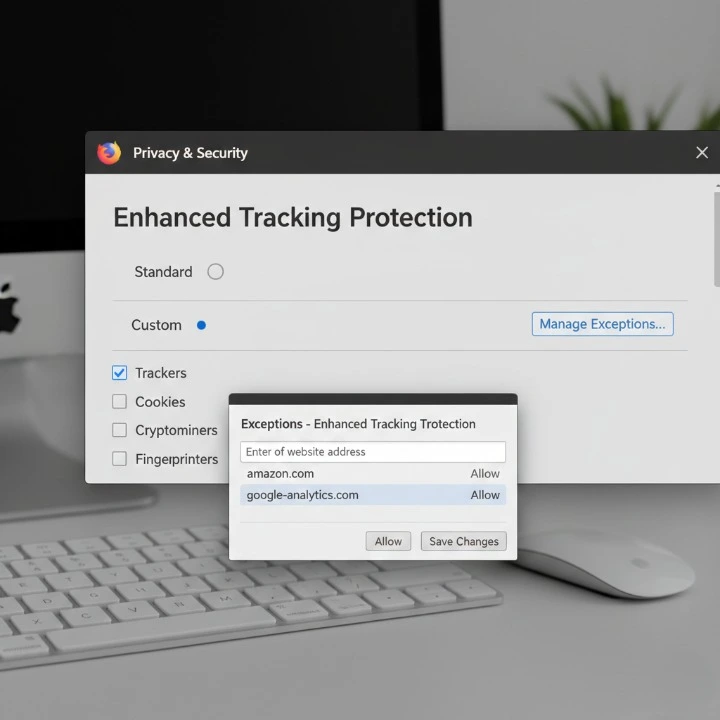
Firefox uses "Enhanced Tracking Protection." It blocks third-party trackers automatically. While WhatsApp itself is end-to-end encrypted, trackers on the web can sometimes see when you are online or how long you use a site. Firefox minimises this digital footprint better than Chrome or Edge out of the box.
Handling Long-Running Sessions on the Gecko Engine
The Gecko engine is very stable. Some users report that Chrome gets slower if you leave it open for days. Firefox tends to maintain a steady performance level over long periods. It is less likely to suffer from "memory leaks" that slow down your computer over time.
Potential Connectivity Issues with Strict Tracking Protection
There is a trade-off for high privacy. Sometimes, Firefox's strict settings can block the connection between the phone and the browser. If you find that your messages are not syncing, you may need to mark web.whatsapp.com as an exception in your privacy settings
Apple Safari
Safari is the default choice for Apple users, and it is hard to beat on macOS.
Unmatched Energy Efficiency on macOS
Apple controls both the hardware (MacBook) and the software (Safari). This allows for perfect optimisation. Safari uses significantly less energy than Chrome. If you are working from a coffee shop without a charger, Safari is the only logical choice for a whatsapp login web to keep WhatsApp Web running without killing your battery.
Notification Reliability and System Integration
Safari delivers notifications using the native macOS system. They look cleaner and integrate better with "Focus Modes." If you turn on "Do Not Disturb" on your Mac, Safari respects it perfectly. Other browsers sometimes struggle to sync with these system-level settings.
Compatibility Limitations with Third-Party Extensions
The downside of Safari is the lack of extensions. The library is much smaller than Chrome's. If you rely on special tools for CRM integration or automated replies, you might not find them for Safari. It offers a pure, basic experience, but lacks the power features of Chromium browsers.
Best Practices for Optimization
No matter which browser you pick, you can tweak settings to make your whatsapp login web experience run even better.
Preventing Disconnections and Sync Errors
The most common issue is the "Phone Not Connected" error. To stop this:
- Keep the phone active: Ensure your phone is not in "Low Power Mode," which might kill the Wi-Fi connection.
- Browser Settings: In Chrome or Edge, go to settings and ensure "Memory Saver" allows WhatsApp to stay active. Add WhatsApp to the "Always Active" list so the browser never puts it to sleep completely.
Managing Privacy and Screen Visibility
When using whatsapp login web in public, maintaining screen privacy is a major concern for most users.
- Zoom Out: Press Ctrl - (or Cmd - on Mac) to make the text smaller. It makes it harder for people passing by to read your chats.
- Use Incognito: If you are on a shared computer, always use Incognito or Private mode. This ensures that when you close the window, you are automatically logged out.
Final Recommendations by User Type
The battle of the browsers has no single winner, but there is a winner for you.
- For Windows Users: Use Microsoft Edge. It offers the speed of Chrome with better memory tools and a handy sidebar.
- For Mac Users: Use Safari for personal use to save battery. Use Chrome if you need work extensions.
- For Power Users: Use Google Chrome. The V8 engine and vast extension library are unbeatable for heavy workflows.
- For Privacy Buffs: Use Mozilla Firefox. It offers the best protection against tracking while keeping your chats stable.