
A CRM with WhatsApp is a specialized software tool that connects your business data with WhatsApp to manage customer conversations at scale. In 2026, the best provider for your company depends entirely on your goals: Waplify is the top choice for sales automation and growth, Respond.io leads in enterprise support, and Wati is best for simple marketing broadcasts. Selecting the right platform allows you to move beyond the limitations of the standard phone app and unlock features like shared team inboxes, AI
chatbots, and detailed revenue analytics.
The State of WhatsApp Commerce in 2026: Why Your CRM Choice Matters
WhatsApp is no longer just a chat app. In 2026, it is the primary place where customers buy products, ask for help, and book services. If your business relies on a single phone to answer messages, you will lose customers to competitors who reply instantly. Modern businesses need tools that work automatically. Your CRM (Customer Relationship Management) software acts as the brain behind your WhatsApp account. It sorts messages, sends automatic replies, and tracks sales. If you choose the wrong tool, your
team will struggle with disconnected data and slow response times. Understanding the technical differences is key. To see why businesses are upgrading, read our comparison on WhatsApp Business App vs API: Feature Comparison.

Quick Summary: The Best WhatsApp CRM Software for Every Business Type (2026 Snapshot)
If you are in a rush, use this snapshot to find the tool that fits your business model. We analyzed the top providers based on speed, features, and price.
Best Overall for Growth & Automation: Waplify
Perfect for businesses that want to increase sales. It offers advanced automation without needing a coding team.
Best for Enterprise Omnichannel Support: Respond.io
Ideal for very large companies that need to merge emails, Instagram DMs, and WhatsApp messages into one confusing inbox.
Best for Developer Customization: Twilio
The top choice for companies with software engineers who want to build a custom solution from scratch.
Best for Simple Marketing Broadcasts: Wati
Great for small teams that only need to send bulk messages and do not need complex sales tracking.
What Is WhatsApp CRM? Defining the 2026 Standard
A WhatsApp CRM organizes all your customer chats in one place. It links the person chatting with you to their purchase history and details. In 2026, a standard CRM must handle thousands of messages at once without crashing.
The Critical Difference: WhatsApp Business App vs API Integration
Most small businesses start with the free WhatsApp Business App. However, this app lives on a phone and cannot handle a full team. The WhatsApp Business API is different. It is cloud-based software that allows many agents to log in at the same time.
The API is what connects to your CRM. It allows for integration, meaning your chat app talks to your inventory or booking system. To understand how these connections work, check out our guide on Whatsapp Business Api Integrations 2026 Automation.
Core Functions: Shared Inbox, Bulk Marketing, and Automated Sales
Every good WhatsApp CRM in 2026 must do three things well:
- Shared Inbox: Multiple team members can reply to messages from one number.
- Bulk Marketing: You can send thousands of messages (Broadcasts) to customers who opted in.
- Automated Sales: The system can suggest products and close deals without a human typing.
Expert Analysis: Evaluation Criteria for Top Providers
We did not just look at the marketing pages. We tested these platforms based on what matters for business growth. Here are the criteria we used.
Integration Capabilities & API Stability
The software must not crash. We looked for providers with stable connections. If WhatsApp goes down, your business stops. The best providers have backup systems. They also connect easily with tools like Shopify, WooCommerce, and Google Sheets.
Automation Depth: From Autoreplies to AI Agents
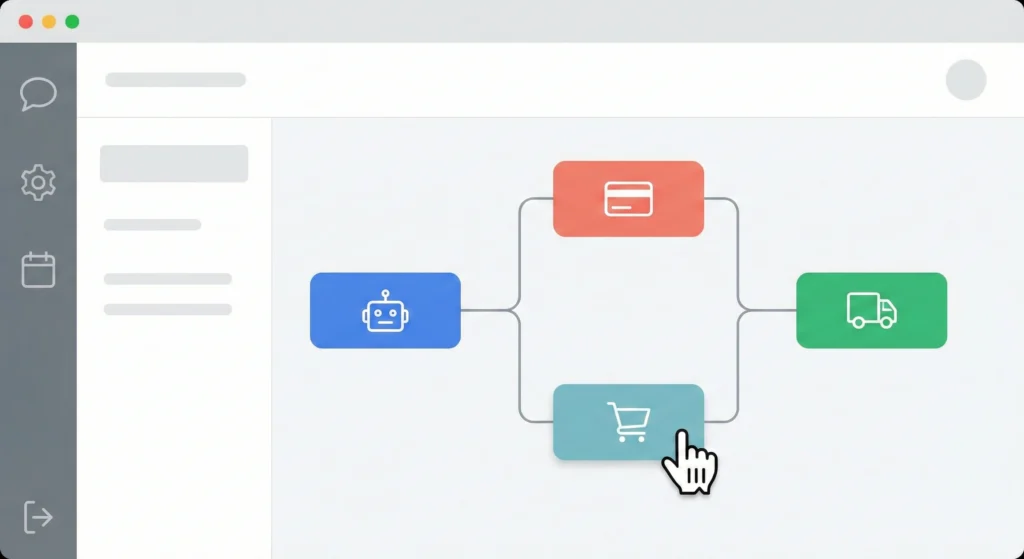
Simple "away messages" are not enough anymore. We looked for "flows." A flow is a logic path. For example: If a customer asks for shoes -> Show the sneaker catalog -> Wait for selection -> Send payment link. The best tools use AI agents to understand natural language.
Security Compliance (GDPR, ISO) for Enterprise Growth
Data safety is huge. If you serve customers in Europe or deal with sensitive data, you need strict security. We checked if these providers follow laws like GDPR (General Data Protection Regulation). This keeps your customer data safe from hackers.
Provider Deep Dive 1: Waplify (The All-in-ones Automation Powerhouse)
Waplify has emerged as a leader for businesses focused on aggressive growth. While other tools focus on support tickets, Waplify focuses on turning chats into revenue. It is built to help sales teams work faster.
Key Advantage: 50+ Pre-Built Automation Use Cases for Sales
The hardest part of automation is building it from scratch. Waplify solves this by giving you templates. You can access over 50 scenarios, such as "Abandoned Cart Recovery" or "Post-Purchase Upsell." You just click and activate. For a full list of ideas, review the Whatsapp Automation 50 Use Cases.
Pricing Model: Transparent Costs with Green Tick Support
Waplify is known for clear pricing. They do not hide fees. Additionally, they help businesses get the coveted "Green Tick" verification badge. This badge proves your brand is real and increases trust. Learn how to get yours in our Whatsapp Green Tick 2026 Guide.
Best For: Businesses Scaling from Support to Active Sales
If you want your support team to also sell products, Waplify is the best choice. It gives agents the data they need to recommend items during a chat.
Provider Deep Dive 2: Respond.io (The Omnichannel Centralizer)
Respond.io is a heavy hitter for large corporations. Their main goal is to put every communication channel into one screen.
Key Advantage: Unifying WhatsApp, Instagram, and Email
If your team is overwhelmed by switching tabs, Respond.io helps. It merges WhatsApp, Facebook Messenger, Instagram, and Email. If a customer messages you on Instagram and then on WhatsApp, the system merges the conversation, so you see the full history.
Cons: Learning Curve and Enterprise-Tier Cost Add-ons
The software is powerful, but it is complex. New staff may need training to use it. Also, some advanced features are locked behind expensive "Enterprise" price tiers. You often have to pay extra for a dedicated account manager.
Best For: Large Teams Managing High-Volume Multichannel Support
This is the right tool if you have 20+ support agents handling thousands of tickets across many different platforms.
Provider Deep Dive 3: Wati (The SMB Marketing Favorite)
Wati remains a popular choice for small-to-medium businesses (SMBs). They strip away the complexity and focus on being easy to use.
Key Advantage: Simplified Interface for Broadcast Campaigns
Wati makes sending a broadcast message as easy as sending an email. The interface is clean and colorful. You do not need to be technical to upload a contact list and hit "send."
Cons: Limited CRM Capabilities Compared to Full Suites
Wati is great for broadcasting, but weak on deep CRM features. It lacks advanced sales pipelines and deep integration capabilities compared to Waplify or Salesforce. It is a "light" CRM.
Best For: Small Businesses Focused on Marketing Blasts
If your main goal is sending discount coupons to a list of customers, Wati is a solid, user-friendly choice.
Provider Deep Dive 4: Salesforce & HubSpot (The Ecosystem Giants)
Salesforce and HubSpot are not just WhatsApp tools; they are massive business operating systems. In 2026, they have improved how they handle WhatsApp.
How to Handle WhatsApp Business API Integrations in 2026
Big companies often use these giants. However, they usually do not connect to WhatsApp directly. They use a partner API. This means you might pay for Salesforce, plus pay for the WhatsApp connection.
Native Connectors vs. Third-Party Middleware
- Native: Built by Salesforce/HubSpot. Often basic and slow to update.
- Middleware: Using a tool like Waplify to bridge the gap. This usually gives you better features inside your Salesforce dashboard.
2026 Feature-by-Feature Comparison Matrix (Data Breakdown)
Here is the data side-by-side so you can compare the technical capabilities.
Table 1: Automation Logic and Chatbot Capabilities
| Feature | Waplify | Respond.io | Wati |
| Visual Flow Builder | Drag & Drop (Advanced) | Node-Based (Complex) | Linear (Simple) |
| AI Agent Support | Native | Native | Add-on |
| Pre-built Templates | 50+ Sales Flows | Support Focus | Marketing Focus |
| External API Triggers | Yes | Yes | Limited |
Table 2: User Permissions and Team Inbox Management
| Feature | Waplify | Respond.io | Wati |
| Team Roles | Drag & Drop Admin, Agent, Manager | Granular Custom Roles | Basic Roles |
| Chat Assignment | Auto-Round Robin | Logic-Based Routing | Manual/Basic |
| Internal Notes | Yes | Yes | Yes |
| Agent Performance Tracking | Detailed | Detailed | Basic |
Table 3: Analytics Depth (Response Rates vs. Revenue Attribution)
| Feature | Waplify | Respond.io | Wati |
| Message Status | Real-time | Real-time | Real-time |
| Response Time Metrics | Yes | Yes | Yes |
| Revenue Tracking | Yes (High Detail) | No | Limited |
| Custom Reports | Yes | Yes | Yes |
The Real Cost of Ownership: WhatsApp CRM Price Comparison
Pricing is tricky. It is not just the monthly software fee. You must also pay WhatsApp (Meta) for every conversation.
Breakdown: Platform Fees vs. WhatsApp Conversation Costs
You will see two bills.
- Software Fee: Paid to Waplify, Wati, or Respond.io for using their tool.
- Conversation Fee: Paid to Meta. This is based on 24-hour windows.
To calculate exactly what you will spend, use the WhatsApp Business API Pricing 2025: Your Definitive Cost Guide.
Hidden Costs: Template Markups and Onboarding Fees
Some providers add a "markup" (extra fee) to every message you send. Always check if you are paying official Meta rates or marked-up rates. Also, ask about "onboarding fees." Some enterprise tools charge \$1,000+ just to set up your account.
Free CRM with WhatsApp Integration: Reality vs. Limitations
"Free" tools exist, but they are traps for growing businesses. They usually limit you to 50 conversations a month or disable automation. For a real business, a paid API solution is necessary to ensure reliability.
Buying Guide: How to Choose a WhatsApp CRM for Small Business vs. Enterprise
Don't buy the most expensive tool if you don't need it. Use these checklists.
The Small Business Checklist: Ease of Use & Quick Setup
- Can I set it up in 10 minutes? (Look for no-code tools).
- Is the interface English and simple?
- Does it have a mobile app for agents?
- Is the pricing flat or confusing?
The Enterprise Checklist: Security, API Throughput, and Custom Routing
- Throughput: Can it send 100 messages per second?
- Security: Is it GDPR and ISO compliant?
- Routing: Can it route VIP customers to senior agents automatically?
- SLA: Is there a guarantee for uptime?
Conclusion: Final Verdict for Maximizing Business Growth
In 2026, the market is full of strong options.
- Choose Waplify if you want to automate sales and grow revenue quickly.
- Choose Respond.io if you are a large company managing support tickets across email and social media.
- Choose Wati if you are a small shop that just wants to send marketing blasts.
Your CRM is the engine of your customer communications. Choose the one that aligns with your growth goals, not just your current size. Start with a trial, test the automation, and watch your business efficiency soar.